
Photo via Bonus Action
It’s rare to have a magical experience with drawing tablets. The process of becoming a digital artist is usually one wrapped in input and output cables and punctuated by tears as the artist tries to calibrate their stylus. I don’t have to cry anymore, because I have the XPPen Magic Drawing Pad, and it has completely changed my experience as a digital artist.
Those who have sauntered down the road to digital art know exactly what sort of money-sink it can be. Drawing tablets with good pressure, quality screens, and decent color cost a small fortune – and these are usually tethered to a PC. If you want something you can take to class, to a park, or just on your sofa, the price goes up by thousands of dollars.
The Magic Drawing Pad, however, puts 16k points of pressure in your hand, and a brilliant color display in your lap. No limits, no cables – just pure artist freedom for the price of a basic Wacom monitor tablet.
Key Details
- Designer: XPPen
- Operating System: Android
- Pen Pressure: 16K
- Dimensions: 12.2 Inches
- Where to Buy: XPPEN Website/Amazon
- Price: $499.99
- Sample Provided For Review: Yes
The XPPen Magic Drawing Pad Packs Heat With Amazing Specs
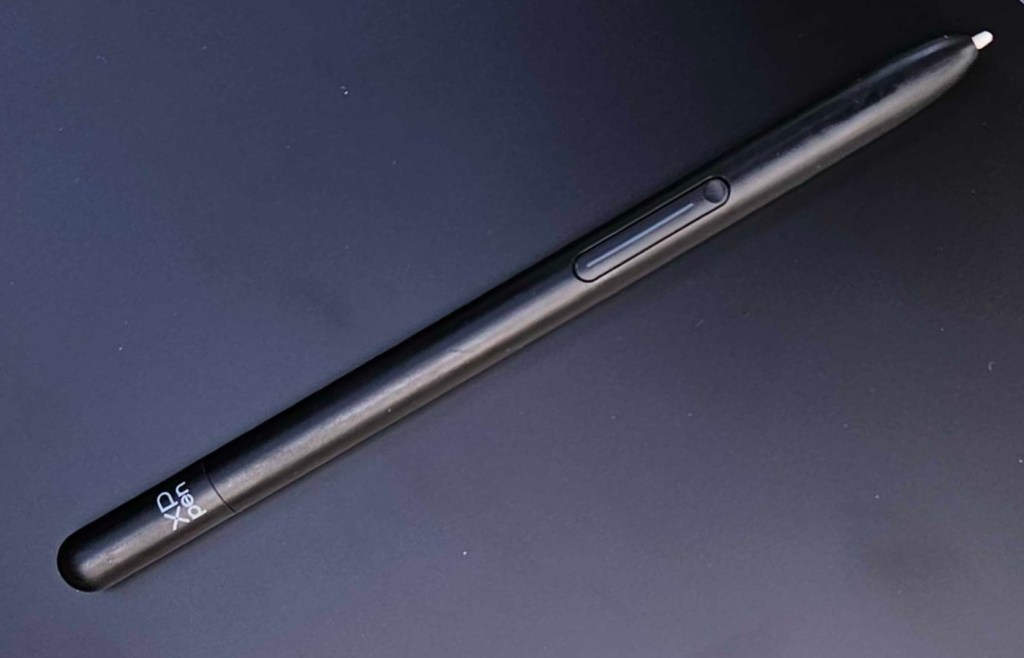
The Magic Drawing Pad offers several features that put it ahead of its competitors, the first being the 16k points of pressure on the stylus. I was skeptical of whether I would be able to tell the difference compared to the 8K standard that most other professional-grade drawing tablets offer. You can absolutely feel the difference. Every stroke of the stylus is accurate, and there is no lag at all. I have always struggled with the disconnect between the stylus and my active drawing when working digitally, but this was suddenly no longer a problem and it was liberating.
The X3 Pro Pencil stylus also uses a built-in chip to enhance accuracy, and EMR technology to provide the most organic drawing experience possible. It makes drawing on the tablet so fun and free, and I can’t get enough of it.
Additionally, the Magic Drawing Pad uses a full Android operating system. This gives artists access to Clip Studio Paint, as well as all the comforts of a standard, non-drawing tablet. You can draw with your music on, or if you get tired on a trip, clip your stylus to the holder in the custom case and throw on a movie. It is comfort and convenience at a fraction of the price of most competitors.
XPPen Magic Drawing Pad Vs iPad Pro 12 Inch with Pro Pencil
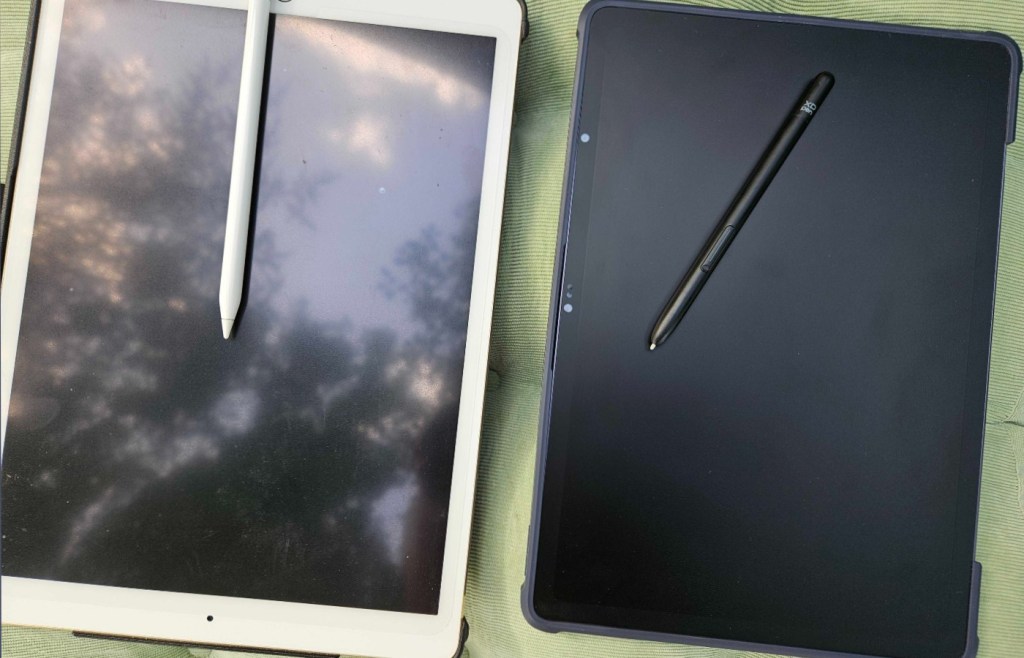
I have tried drawing on numerous tablets over the years, from Samsung Galaxy Tabs to the iPad. For a handful of years, my iPad Pro 12 inch was my go-to digital drawing companion.
There are a few pros to the iPad. Artists have access to Procreate, which while not my favorite drawing app, does offer a wide range of tools. The iPad also has a nice active area for drawing, and at a dimension that doesn’t feel awkward. However, battery life has always been an issue, and I absolutely hate the Pro Pencil.
However, after comparing the two tablets, here are some of the key elements to consider.
Comparison Breakdown
| XPPen Magic Drawing Tablet | Apple iPad Pro with Pro Pencil |
|---|---|
| Price: $500 Pen Pressure: 16k Stylus Nib Options: Yes Battery Life Tested: 18 Hours in Use Screen Size: 12.2 Programs: Clip Studio Paint, Ibis Screen Type: Paper Matte | Price: $1000-1300 Pen Pressure: Unknown Stylus Nib Options: No Battery Life Test: 5 Hours in Use Screen Size: 11-13 Inches Programs: Procreate, Clip Studio Paint Screen Type: Glass |
The key and most important thing when comparing the iPad with the Magic Drawing Pad is that the iPad was not designed with artists in mind. Apps were developed to make use of it, but it is not optimized for drawing and lacks the overall technology to compete against actual drawing tablets.
The Magic Drawing Pad’s high-pressure sensitivity, EMR tracking, and color tuning make it a superior drawing device in every aspect. While you may miss Procreate, artists will appreciate the technical aspects XPPen includes in the Magic Drawing Pad and they will have a much more immersive and intuitive drawing experience.
Additionally, the price of the iPad, which does not include the Pencil, is on par with Wacom, and buyers aren’t getting a true drawing tablet. The Magic Drawing Pad is a much better option at a much lower price.
XPPen Magic Drawing Pad vs Wacom One 13 Inch
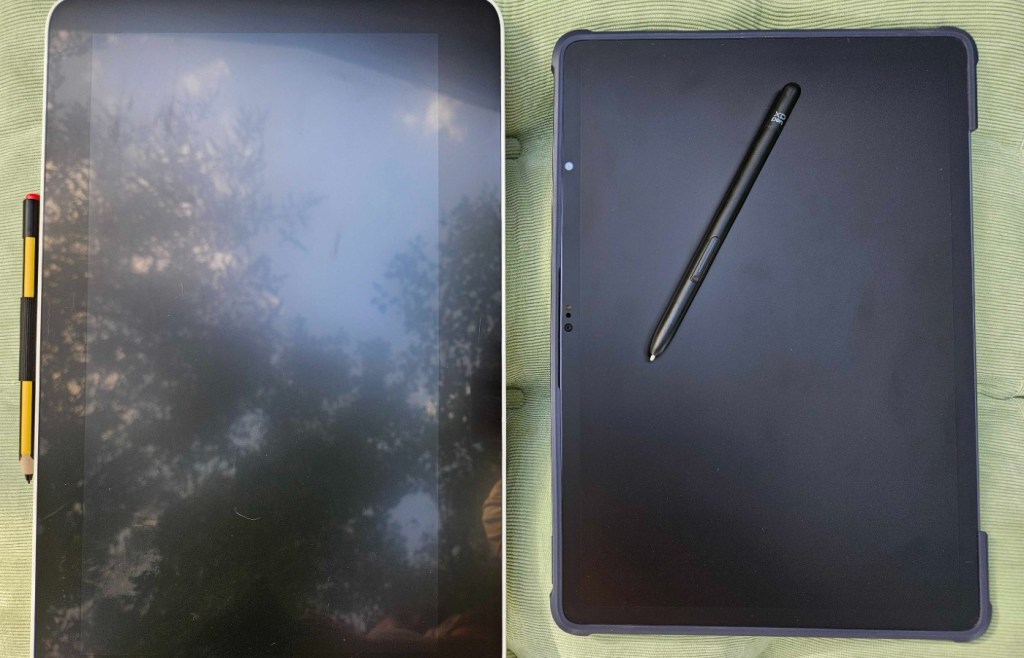
For years, Wacom has been my aspiration. I remember being a young artist in the 2000s dreaming of the day I would get my first monitor tablet. Unfortunately, decades later Wacom remains that – an overpriced dream I can’t reasonably invest in.
While the brand is known for high-quality and industry-grade products, the lack of accessibility creates a big issue for younger artists.
Below, we have compared the Wacom One 13-inch against the XPPen Magic Drawing Pad.
| XPPen Magic Drawing Tablet | Wacom One 13-Inch |
|---|---|
| Price: $500 Pen Pressure: 16k Stylus Nib Options: Yes Battery Life Tested: 18 Hours in Use Screen Size: 12.2 Programs: Clip Studio Paint, Ibis Screen Type: Paper Matte Portable: Yes | Price: $510 Pen Pressure: 4,096 Stylus Nib Options: Yes Battery Life Test: Wired Screen Size: 13 Inches Programs: Anything Screen Type: Matte Smooth Portable: No |
While the price range is similar on both devices, the Wacom One is not a stand-alone option. It requires a separate computer to run and offers less than a quarter of the pressure levels of the Magic Drawing Pad.
While the drawing experience on a Wacom is always lovely, the lack of continued development of higher pressures in the styluses of more affordable devices put XPPen far ahead.
The Magic Drawing Pad is never going to leave my side
At the end of the day, the Magic Drawing Pad has stolen my heart and has led to me falling in love with XPPen. So much so that we added a 22″ Plus Drawing Monitor to our home studio that boasts the same 16k pressure and stunning drawing surface.
While I do wish the Magic Drawing Pad was just a little bit bigger, the active drawing area is large enough for all my normal sketching. I think the only real setback this tablet has is the lack of a full Windows operating system to diversify drawing program options.
However, as someone who uses Clip Studio Paint both on PC and on tablet, I am not personally impacted by the lack of access to things like Photoshop.
I think the most important thing to note about this tablet is its accessibility – so many features packed into a portable device under 600 dollars, and without feeling like any quality was sacrificed. With competition like XPPen, Wacom will need to be careful. I could see myself investing in several more XPPen products in the near future, but a pro drawing monitor from Wacom is a pipe dream I’ll never be able to justify at current prices.
Final Score – 10/10
The Magic Drawing Pad is a dream device for artists. The versatility, reasonable cost, and quality of the tablet make it an absolute steal, and one every digital artist should invest in. It has revolutionized my workflow, encouraged me to draw digitally more frequently, and is frankly one of the best tablet drawing experiences I’ve ever had.
I can’t wait to see what XPPen has planned for the future, because if the Magic Drawing Pad is any indicator, other tablet manufacturers have something to be afraid of.
Looking for some other XPPen products? Check out the details on the Artist Pro 19-inch Tablet.
**Bonus Action was provided with a sample of the Magic Drawing Pad for the purpose of this review**
About the Author

Discover more from Bonus Action
Subscribe to get the latest posts sent to your email.