Image via Nintendo
The new, paid version of Animal Crossing: Pocket Camp is now available, replacing the old live service mobile app. For a limited time, fans can transfer their old save data to the new game if they want to pick up where they left off.
If you’ve been playing Animal Crossing: Pocket Camp for years and want to make sure your existing info gets transferred over, you’ll want to do so ASAP. After June 1, 2025, transferring old saves to the new app will no longer be an option.
Table of contents
How to Transfer Your Animal Crossing: Pocket Camp Save to Pocket Camp Complete
Players will be able to transfer their current save for Animal Crossing: Pocket Camp until June 1, 2025. Here are the steps to take to ensure you’re able to continue where you left off.
Step 1: Link Pocket Camp Data to a Nintendo Account
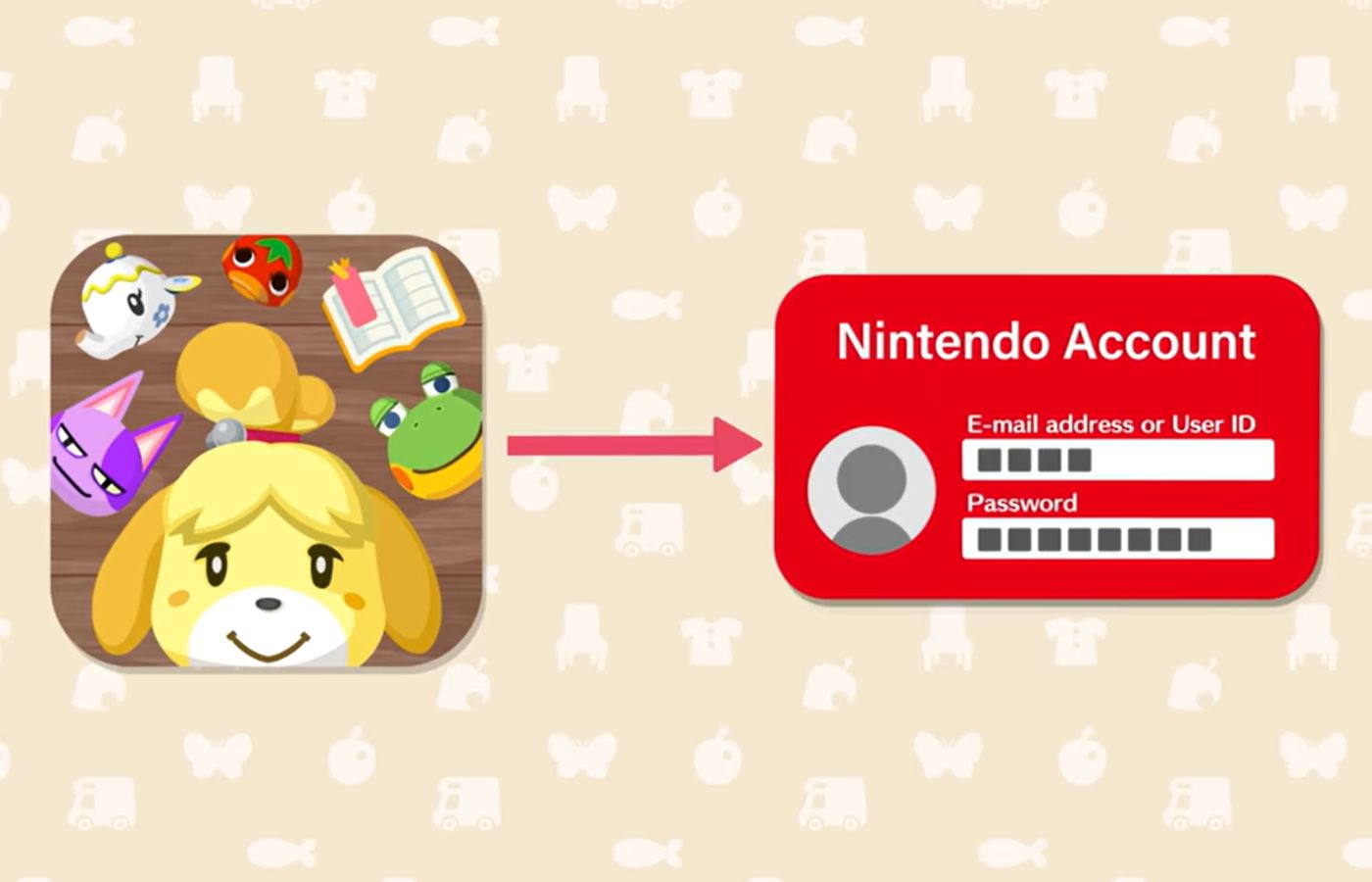
To transfer your save data from Animal Crossing: Pocket Camp, you will need to link your Nintendo Account to your current save in the app. That means you’ll need to keep the old Pocket Camp app until you transfer your save.
To do so, open up your mobile app for Animal Crossing: Pocket Camp. Because the app is no longer supported, you will see a screen with info about end of service. This screen includes a button that says “Transferring Save Data.”

Click on this and link to your existing Nintendo Account. Or, if you haven’t previously used a Nintendo Account, you can also create one to transfer your save data to the new version of Pocket Camp.
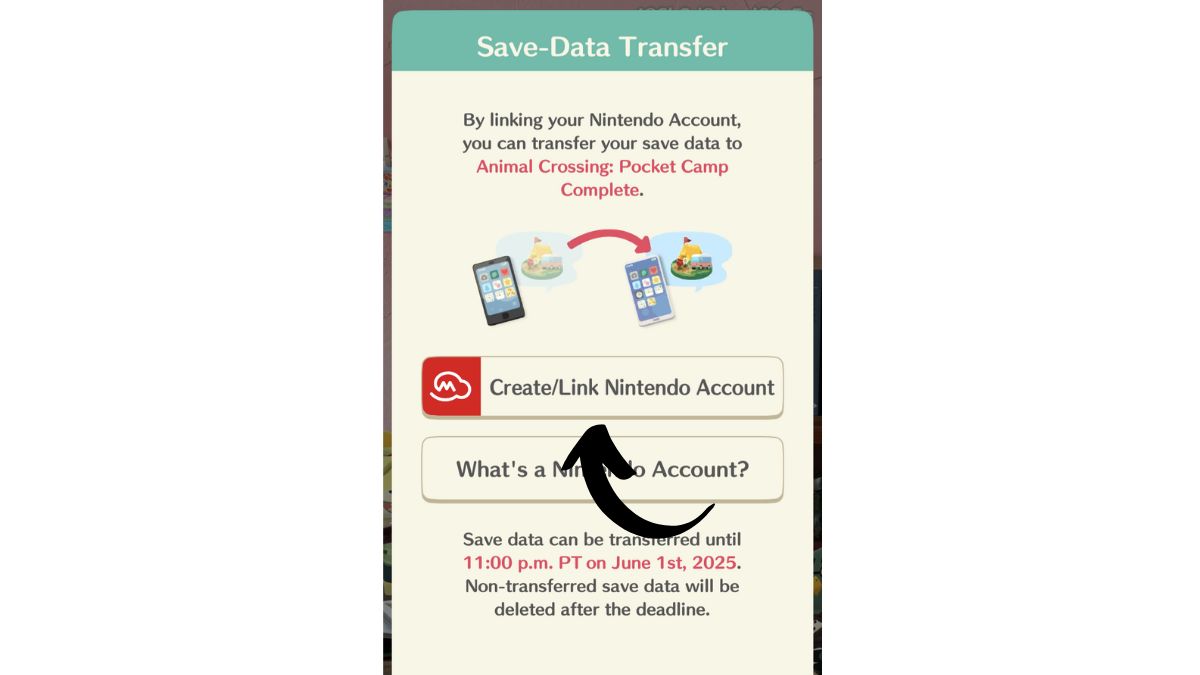
Make sure you keep track of the Nintendo Account you use here, as you’ll need to log in again later to transfer the data.
NOTE: If you already have a Nintendo Account linked to the game, you will see this screen instead.
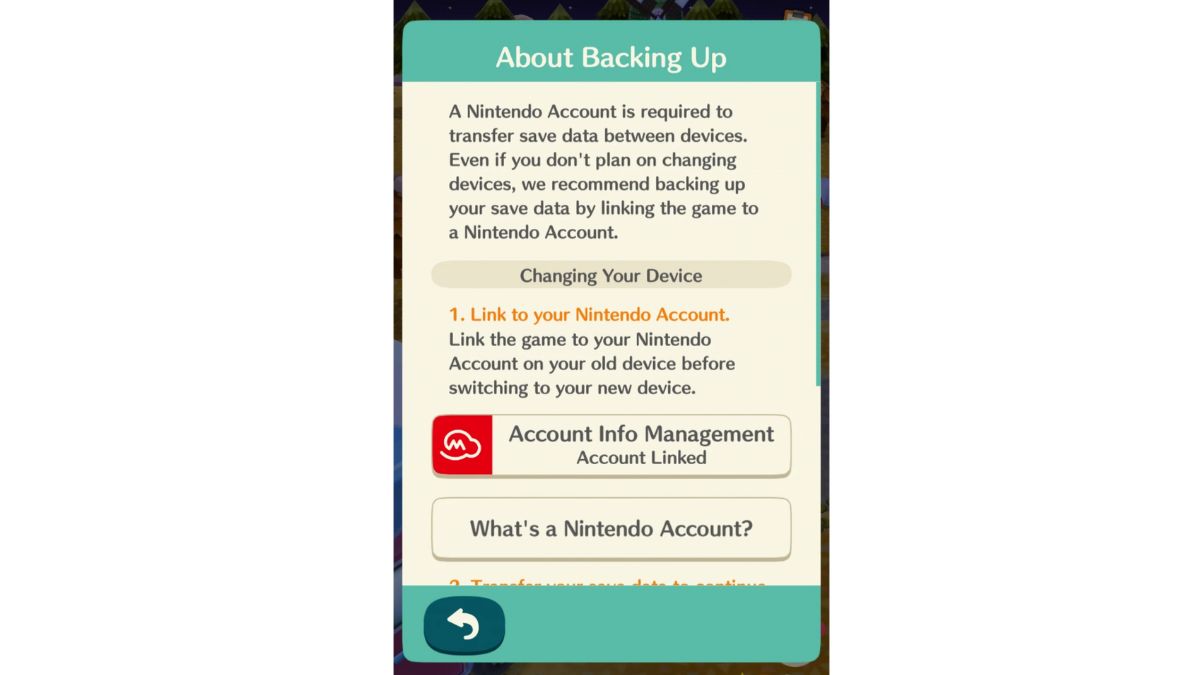
You should be able to proceed directly to Step 2 if you already have a linked Nintendo Account.
Step 2: Transfer Save Data to Pocket Camp Complete
Once you’ve saved your data to your Nintendo Account, you’re ready to transfer the save to Animal Crossing: Pocket Camp Complete. To do this, open the game and hit “Tap to Start!” from the main page.
From here, you’ll be prompted to choose either Continue or Start Fresh. Hit “Continue” to transfer your old save data to the new app.
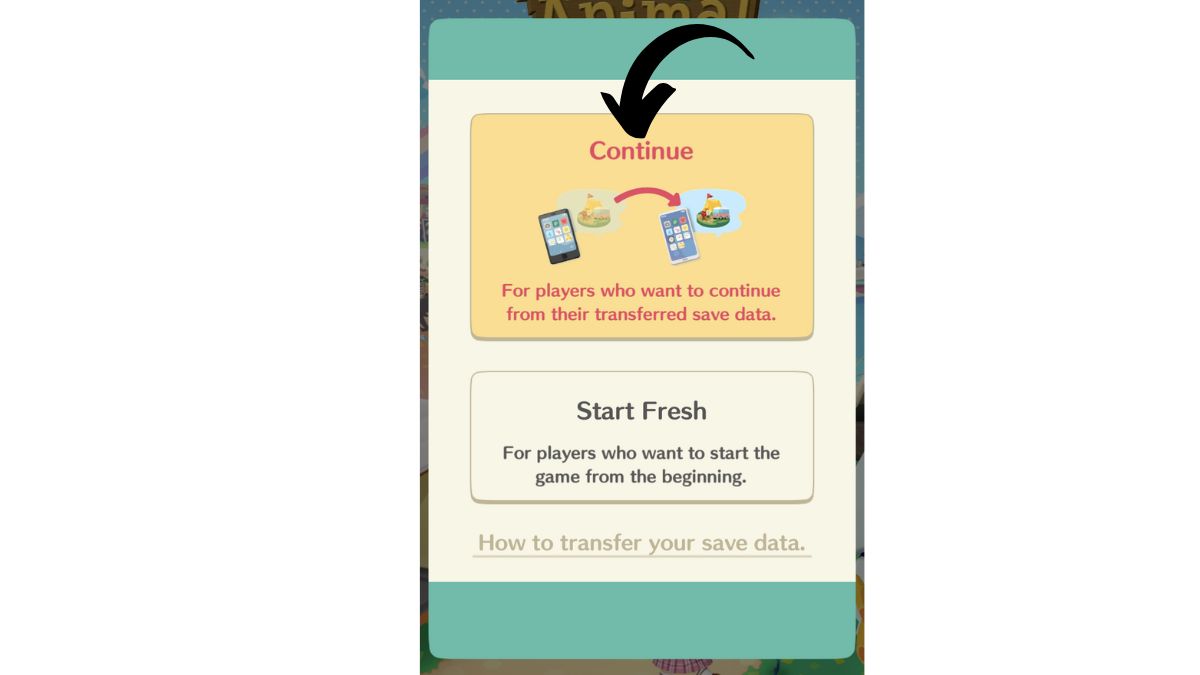
Next, you will need to log in to the same Nintendo Account you used to save your data from Pocket Camp. Hit sign in, and you will see a screen that lets you transfer your save data.
Hit transfer and your old data should begin downloading. You will see a screen that says “Save-data download is complete.” This indicates that your old save is transferred to Pocket Camp: Complete and you will be able to jump into the new version to keep playing from your existing save.
From our experience, once you hit Start Fresh, you will not be able to transfer saved game data later. So, be sure that you hit “continue” before starting your Pocket Camp Complete journey if you want to start from where you left off in the old, live service game.
For more cozy games perfect for fans of Animal Crossing, check out our walkthrough guides for Fields of Mistria and Cozy Caravan.
About the Author

Discover more from Bonus Action
Subscribe to get the latest posts sent to your email.