

photo by Bonus Action
In the late summer of 2024, I finally upgraded my work setup from my well-loved laptop and rickety monitors to a full gaming PC. I was excited to hit titles like Baldur’s Gate 3 and Fields of Mistria with an RGB beast running like silk, but I forgot one important thing – my tower didn’t have built-in speakers. After months of deliberation, I selected the Razer Leviathan V2 for my rig, and I am absolutely delighted with the results.
When looking for speakers, headphones, or earbuds, I have one goal – audio fidelity. I want everything to sound amazing and for music to come through with all the bass it can manage. We are talking max quality, low compression Taylor Swift, Vance Joy, and All Time Low.
In addition to this, however, I need the crisp, well-isolated audio for video games. No one wants to miss a warning and get taken out while playing something spooky or action-oriented. So my choice needed to have all the good listening for music, but practicality for the job.
Oh how the Razer Leviathan V2 delivered.
Key Details
- Developer – Razer / Audioscenic
- Price: $249.99
- Where to Buy: Razer Store, major tech retailers
- Sample Provided For Review: No
Small Footprint, Easy Setup
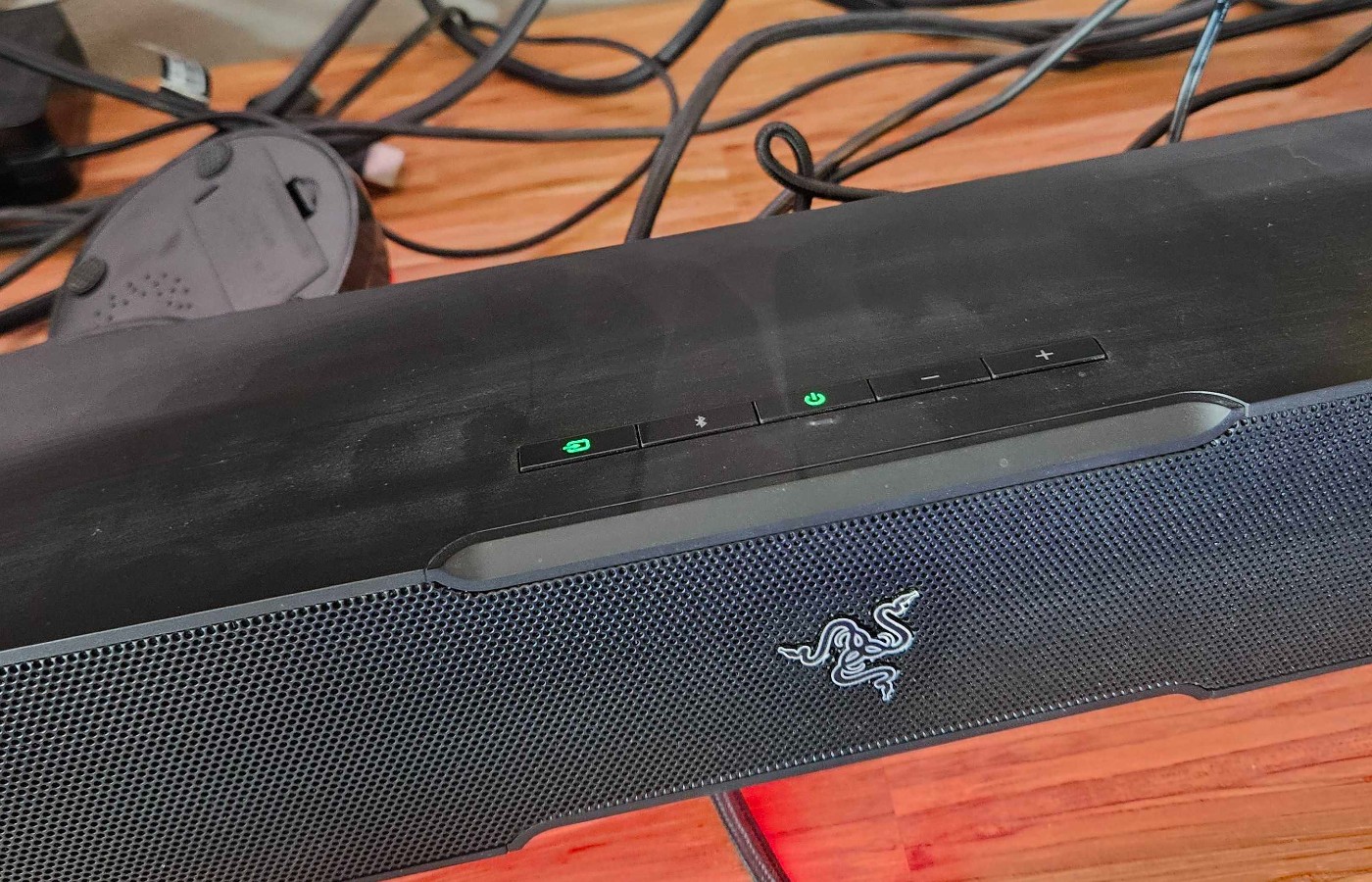

I have always been nervous about good sound systems. Options like the SteelSeries Arena are tempting, but the number of speakers I’d need to set up and the chances of something going wrong thanks to my six-month-old kitten and four-year-old child left me adverse. Thankfully, the Leviathan V2 is a single soundbar and floor subwoofer, and neither of them is bulky.
The soundbar is about a foot and a half long, two inches tall, and nearly three inches deep. It has two different types of feet. I am using the set that angles down toward the back of the bar. I nestled mine between my monitors, where it has stayed without an issue for the past two months.
The setup was shockingly simple. A cable to the subwoofer, PC, and power keep cable management simple and clean. I personally love this, as I always have too many things making a mess behind my rig already.
The RGB from the bar, which can be toggled using the Razer Chroma app, is vibrant and flashes around from under the bar, adding extra ambiance to my desk area. I have it set to change color with the beat of the songs I am listening to, which is a ton of fun.
I have had no hardware issues at all, and I love how sleek everything looks when set up.
Audioscenic’s Amphi Technology Elevates This Sound Bar
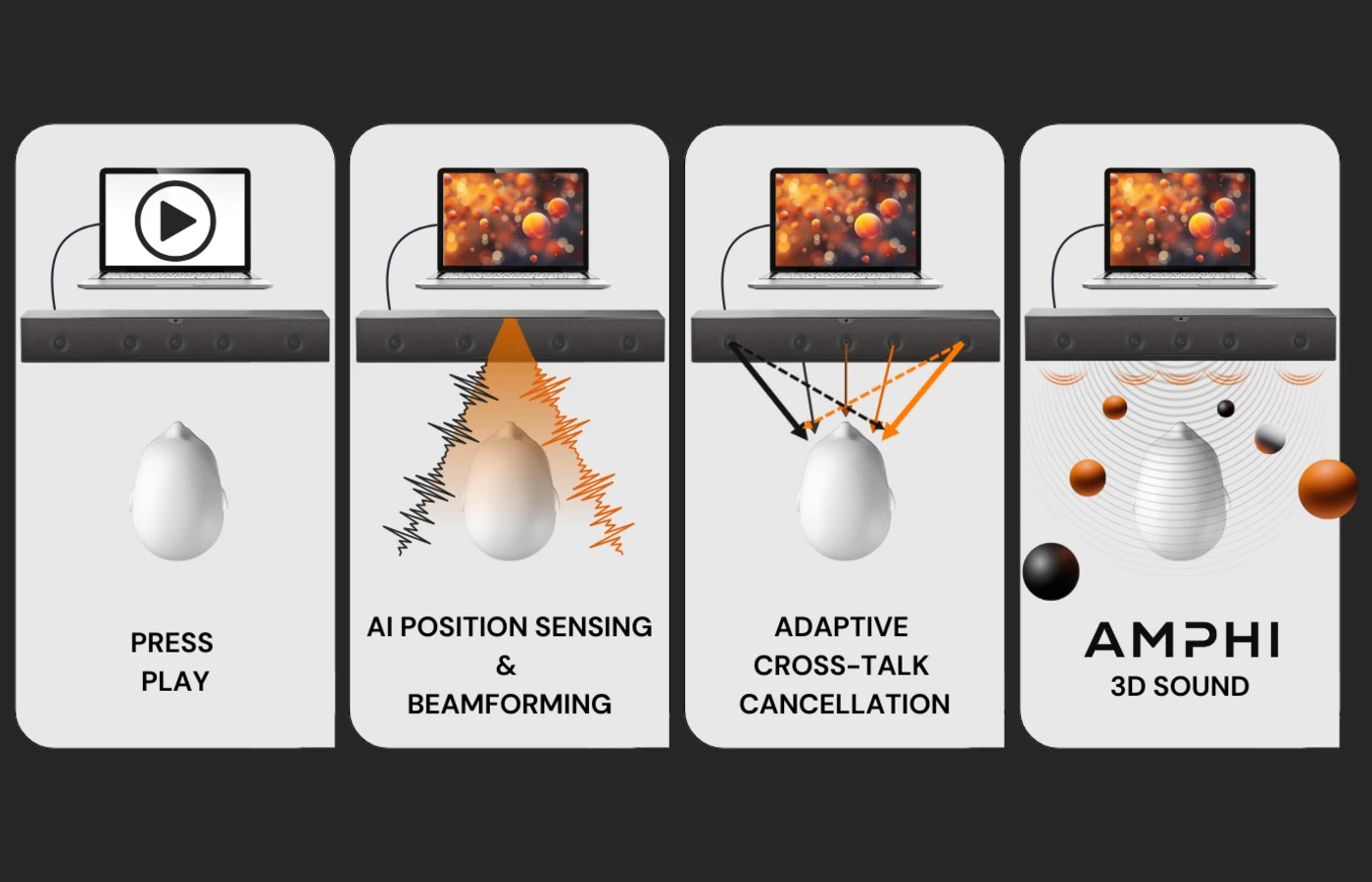
What truly sets this soundbar apart from other THX options is the Audioscenic Amphi technology that showers the listener with high-fidelity sound.
I was completely dumbfounded after setting up my Leviathan. It seemed like the bar was able to locate my head to throw music at me from just the right angle. It turns out this is exactly what it does.
We had the chance to chat with Marcos Simon, the CTO/Founder of Audioscenic, before writing this review to receive an in-depth breakdown of the technology behind the Leviathan V2, and I was blown away by the effort spent creating such an excellent sound experience.
Simon explained that the sound bar is equipped with five built-in speakers and that they use head-tracking technology that ensures sound is correctly delivered to the listener, creating true spatial sound without the need for covered earphones.
Typically, spatial sound is created by delivering specific sounds to one ear or the other; this is called binaural audio, and it is the key to crafting 3D sounds in gaming headphones.
The Leviathan V2 recreates this technique in open space by tracking the listener’s head and directing the sound to the side of the head it is intended for. It crafts a true spatial listening experience so authentic it sounds like you are standing in a concert.
I was grateful to speak to Marcos Simon about the innovation of the soundbar, and the breakdown made my appreciation for the Leviathan V2 that much deeper.
Razer Chroma and I Still Struggle
While I absolutely love the soundbar, its tech, and everything it delivers, I still hate Razer Chroma.
The Leviathan V2 does technically work without this Razer app, but any enhancements to sound, RGB customization, or other extras are tethered to the Chroma app.
In the past, I have used this with keyboards, mice, and headphones. Despite years of trying, I still have issues with Chroma. It will regularly crash, delete settings, reset preferences, or get angry at other apps I have installed.
This doesn’t impact my love of the Leviathan V2 at all, but I do grumble every time I need to restart Chroma, or my whole computer, because it decided to be cranky at the weather.
Final Score – 9.5/10
The Razer Leviathan V2 is an amazing sound bar. As someone who spent precious, bad-economy dollars to be headphone-free while gaming and working, I have absolutely no regrets about investing in it. The Leviathan V2 is particularly lovely for those with limited space, little beings, or chord-munching fur goblins.
If you are looking for high-quality sound, stunning RGB, and a low-impact footprint, I highly recommend the Razer Leviathan V2. There is also a Pro model that is a bit bigger for those who would like to upgrade, or a the V2 X, which is smaller and lacks the soundbar. The smallest option doesn’t have the THX Spatial Audio however, and I really think that upgrade is worth the extra money.
Now, if you’ll excuse me, I need to relisten to the Eras Tour while farming some virtual potatoes.
About the Author

Discover more from Bonus Action
Subscribe to get the latest posts sent to your email.