Screenshot by Bonus Action
Garden Witch Life lets players step into a magical village where they’ll help heal the land, grow plants, and make delicious dishes. There is a pretty robust tutorial when starting with Garden Witch Life to begin. But after you work your way through the basics, the rest is up to you!
We’re here to help with a complete walkthrough to answer your questions and help you be the best garden witch you can be!
Additional Guides
Table of contents
- Additional Guides
- Basic Gameplay Overview
- What Platforms is Garden Witch Life Available On?
- Will Garden Witch Life Get Updates and Bug Fixes?
- Does Garden Witch Life Have Romance?
- Character Customization & Pronouns Overview
- Garden Witch Life Journal and Menu Tips & Tricks
- How to Earn Money in Garden Witch Life – MagiBuy and Community Box Explained
- How to Get New Seeds
- How to Get New Tools & Upgrade Tools in Garden Witch Life
- How to Unlock Cooking & Crafting Recipes
- All Merchants in Garden Witch Life & Where to Find Them
- How to Clean Up Your House in Garden Witch Life
- How Stamina & Fatigue Work in Garden Witch Life
- How to Get Into the Mines in Garden Witch Life
- How to Increase Mental Energy in Garden Witch Life
- Progress Reset Glitch in Garden Witch Life – How to Avoid & Fix
- Garden Witch Life Tasks & How to Complete Them
- How to Unlock More Tasks & Progress Tips
- Give gifts to raise friendships with locals
- Explore the area around your home
- Upgrade your tools
- How to Find Your Way
- How to Get Rope to Fix the Well
- How to Plant Seeds for Crops in Garden Witch Life
- Where to Find Everyone to Deliver Aurel’s Flowers
- How to Build the Composter
- How to Heal the Polluted Water & Reopen the Spa
- How to Find an Alternate Use for the Key
- How to Drain the Water and Clear Out the Mines
- How to Charge the Ancient Battery
- How To Activate the Gate in the Mines
**This guide is in progress. Last updated 10/1/2024**
Basic Gameplay Overview
In Garden Witch Life, you play as a young person who has just lost their job. They’re on an airship home, but decide they just can’t go back in defeat. Instead, they hop off at the nearest stop and decide to make a home in this magical town!
You will inherit an abandoned house with plenty of land. Your goal is to grow crops, make dishes, and sell them to the local community. Oh, and something about the soil seems a bit off. As you play, you’ll begin to unravel that mystery and work to heal the local area.
If you’re ever stuck without a clear next objective, try exploring! There are many secret areas to uncover, which will spawn new quests and storylines.
What Platforms is Garden Witch Life Available On?
At launch, you can play Garden Witch Life on the following platforms:
- PC via Steam or Epic Games
- Nintendo Switch
- PS5
- Xbox Series X/S
Basically, if you want to play Garden Witch Life, you’ve got plenty of options for consoles!
Note: This guide was created from the PC version of the game.
Will Garden Witch Life Get Updates and Bug Fixes?
Yes, although Garden Witch Life did not release in Early Access, the developer is working on quality of life updates and bug fixes for the game.
To see currently known bugs that are being addressed in future updates, see the developer statement here.
Does Garden Witch Life Have Romance?
No, there is no romance in Garden Witch Life. According to the developers, they wanted to focus on friendships and developing robust NPCs with their own choices to make.
Character Customization & Pronouns Overview
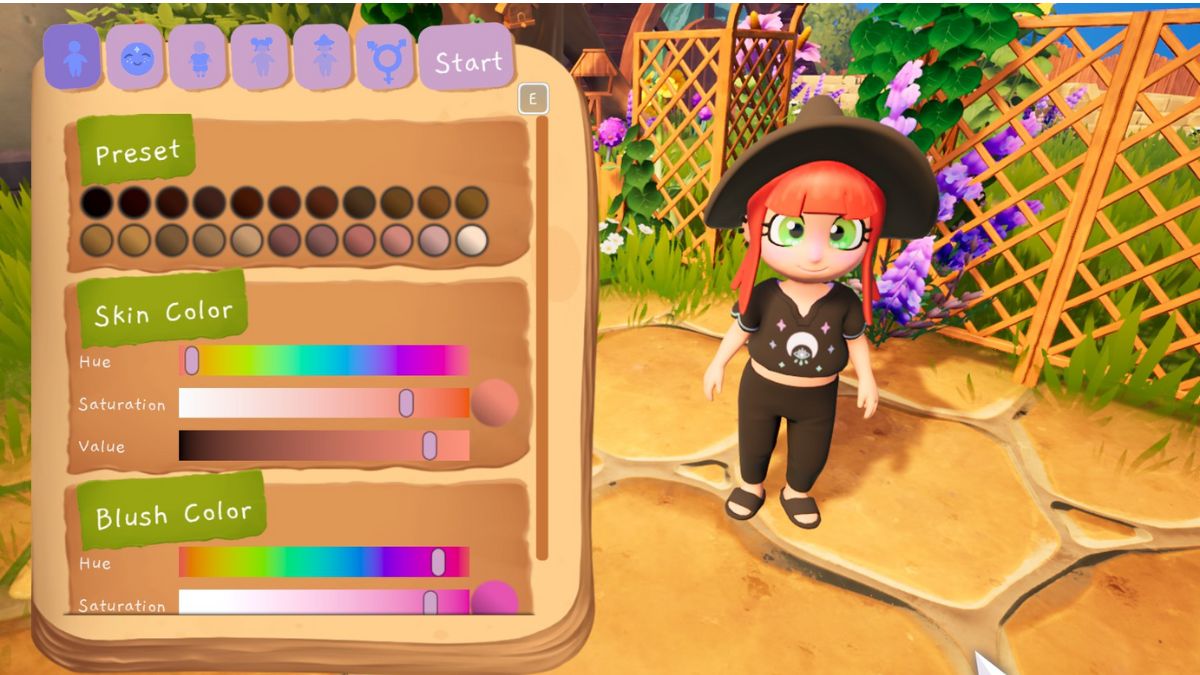
You do get to create your own custom character in Garden Witch Life. The customization options are pretty robust. You can choose from several available presets with many sliders to further tweak options.
You can use sliders to adjust skin tone and the colors of your makeup, hair, and eyes. In fact, you can blend multiple colors and choose the saturation.
Outfit options are fairly limited at launch, with a few shirts, shoes, bottoms, and socks to choose from.
The pronoun options at launch are She/Her, He/Him, and They/Them.
TIP: If you decide you don’t like your look, you can edit your character! Once you clear the debris in your house, there’s a mirror in the room behind the door up the stairs. Interact with that and you can switch it up!
Garden Witch Life Journal and Menu Tips & Tricks
Garden Witch Life gives you a ton of great information using the journal and menu screen. Here’s a quick walkthrough of what you can find and where.
Inventory Tab

Here, you’ll find everything you’re carrying. You can move items up into the main toolbar where you can use them and see what you’re ready to sell for coins.
Hover over an item for its description. Sometimes they’re pretty entertaining, like the entry for potatoes.
Quest Log Tab
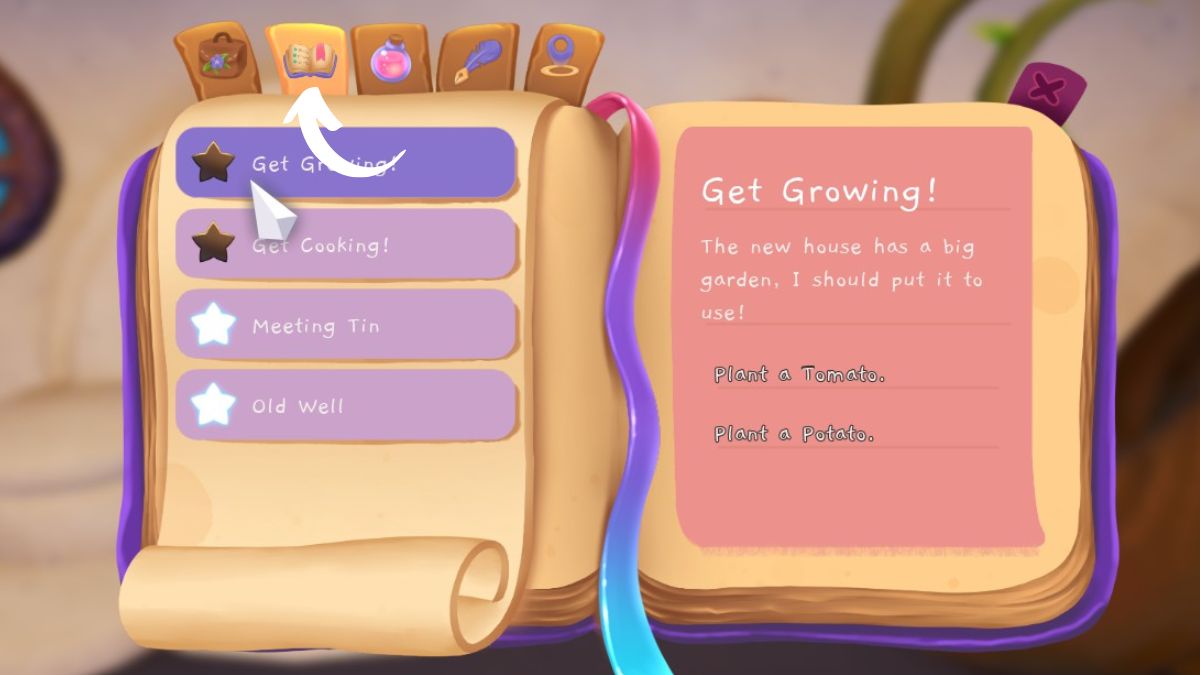
Since your sidebar only displays a few tasks at a time, this tab is super helpful. It lists all currently active quests and the tasks you need to complete for each one.
Recipe Tab

This tab lists all the recipes you currently know. Hover over a recipe to get all of the details and ingredients list.
Journal Tab
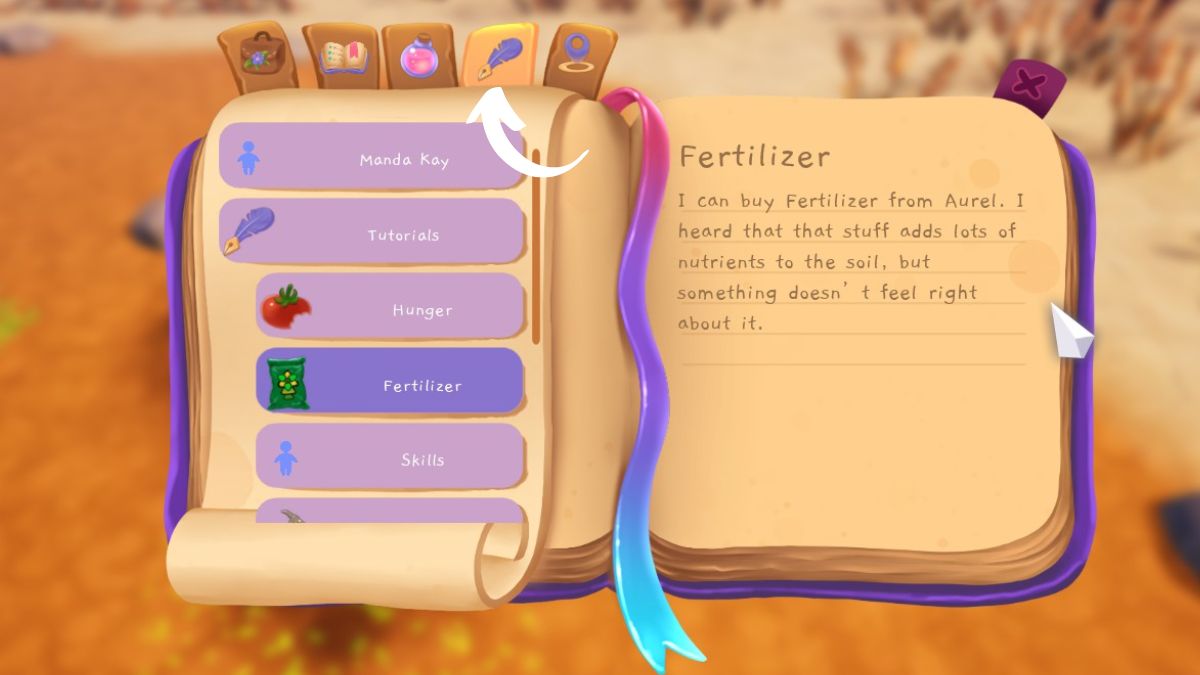
This tab has a ton of info! Here, you can review basic info about your character, see the tutorials, and read about the different characters you’ve met around town.
It’s also written in the style of an actual journal, so it’s pretty fun to read and get to know your in-game self.
Map Tab

This tab pulls up a smaller version of the world map. You can view the current location of NPCs and see where to find the various shops in town from here.
Use the magnifying glass in the corner to zoom in for a closer look.
How to Earn Money in Garden Witch Life – MagiBuy and Community Box Explained
Unlike many farming Sims where you’ve got a little box on your farm to dump products into, Garden Witch Life has another approach. You have two options for earning coins in the game – the MagiBuy machine and the Community Box.
May will walk you through these options during the initial gameplay tutorial, but here’s a more in-depth breakdown to help you choose.
Earning Money with MagiBuy

You pass this magical delivery box on your way into town. It’s near the docks and is connected to the magical worldwide delivery system. Selling things here is instant, and you can sell literally anything. However, you’ll earn less here than you would through the Community Box.
I like to use MagiBuy when I need quick cash and to sell extras of things like Clover Leaves that aren’t accepted at the Community Box. Simply drag your wares to the MagiBuy inventory and hit “sell” to earn instant coins.
Earning Money with the Community Box

The Community Box is right next to the General Store. Here, you can leave items for locals to peruse and purchase. There are some limits on what you can sell, but locals will pay more for these wares.
When you leave items here, it will take some time for them to sell. You’ll need to return to the Community Box to check in and collect your coins. I use this for higher-value items like crafted recipes, where I want the most coin for my work.
How to Get New Seeds
There are many ways to get new seeds in Garden Witch Life! You can buy many varieties from Aurel at the General Store. But, you’ll also find wild plants throughout the land that yield seeds when you harvest them.
Explore everywhere and interact with everything to find new seeds for free so you can expand your garden and grow all the things.
How to Get New Tools & Upgrade Tools in Garden Witch Life
You’ll start the game with three tools during the tutorial – a watering can, a scythe, and a hammer. You can upgrade these later on, but they’ll do at the start.
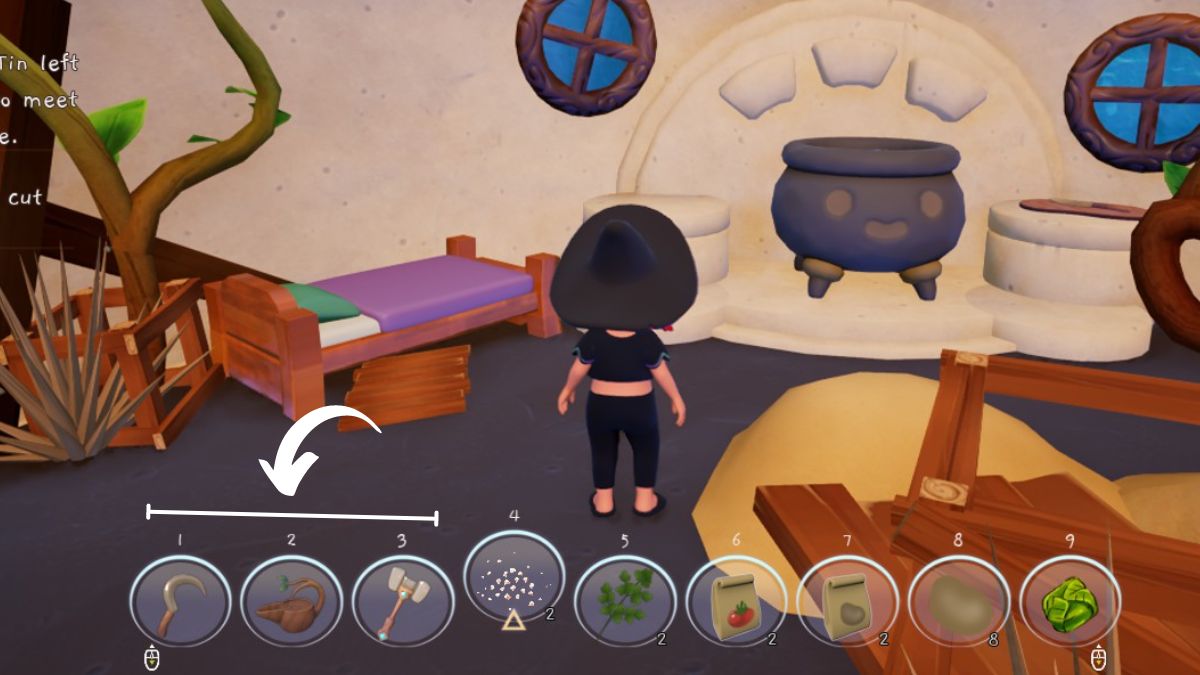
However, you need more tools to clean up your plot! You’ll get a note from Tin asking you to meet her at the forge.
Talk to Tin, and she’ll help you get a shovel, a pickaxe, and an axe. You can take these on loan, but you do need to pay Tin back eventually. The full cost for the basic tools is 200 coins.
Tin also sells upgraded versions of each of these tools, which you can save up to buy. They are about 1000 coins each, so this will be a later purchase once you’ve got your finances in order.
Note: In the 1.0.19 update, Freetime Studios introduced a price adjustment to make these tools easier to buy! Upgrades are now around or below 500 coins for players on Steam. Console players will see this price adjustment once the update comes to console.
As you build your friendship with Tin and upgrade tools to the Silver level, you’ll unlock Gold tools. These vary in price but can be up to 1000 coins each. To fully clear out the Crystal Wheat around you house, you’ll need a Gold Scythe.
How to Unlock Cooking & Crafting Recipes

You can unlock new recipes for cooking and crafting through regular gameplay actions. When you harvest certain crops or encounter certain items for the first time, you unlock new recipes. There’s a fun little pop-up that shows you which recipes are unlocked whenever this happens.
New recipes are also unlocked by making things, such as crafting tomato puree for the first time.
You will also find various treasure chests hidden throughout the world. Many of them yield exciting new recipes for food and crafting, so be sure to poke around everywhere you can!
All Merchants in Garden Witch Life & Where to Find Them
As you explore the world, you’ll find many merchants with different wares to buy. Here is everyone who sells products, where you can find them, and what you can buy.
| Merchant Name | Location | What They Sell |
|---|---|---|
| Aurel | General Store (Just above the Town) | Seeds Fertilizer Crafting Recipes |
| Lily | Her House (Up the hill to the right of town, by the bees) | Honeycomb-related Crafting Recipes Animal House Recipes |
| May | Cactus Bakery (In Town, near Beach) | Baked Goods |
| Tin | Forge (On the hill above the General Store) | Tools Upgraded Tools |
| Rud the Magifnicent IV | Magnificent Magic Manoir (Talk to Rud directly to shop his wares after the Manoir opens) | Most Useless Junk |
Many merchants, especially our shy beekeeper friend Lily, will offer a limited selection at first. Give them gifts to increase your friendship and gain access to more wares – including the apiary so you can raise bees and get honey for cooking!
At first, you can’t buy anything from Rud as he wants to wait until the Manoir reopens. It’s not entirely clear how to trigger this event since it wasn’t working properly before the patch, but it seems like you’ll be able to ask Rud about the Manoir after a certain level of friendship.
Then, a few days will pass, and you’ll get a letter from him stating that the Manoir is open. Go to the shop directly to start this cutscene and explore the Manoir’s dubious oferings.
How to Clean Up Your House in Garden Witch Life
You might have some trouble figuring out which of your tools can help clear out the debris in your new house. Here are some tips based on what we’ve found so far.
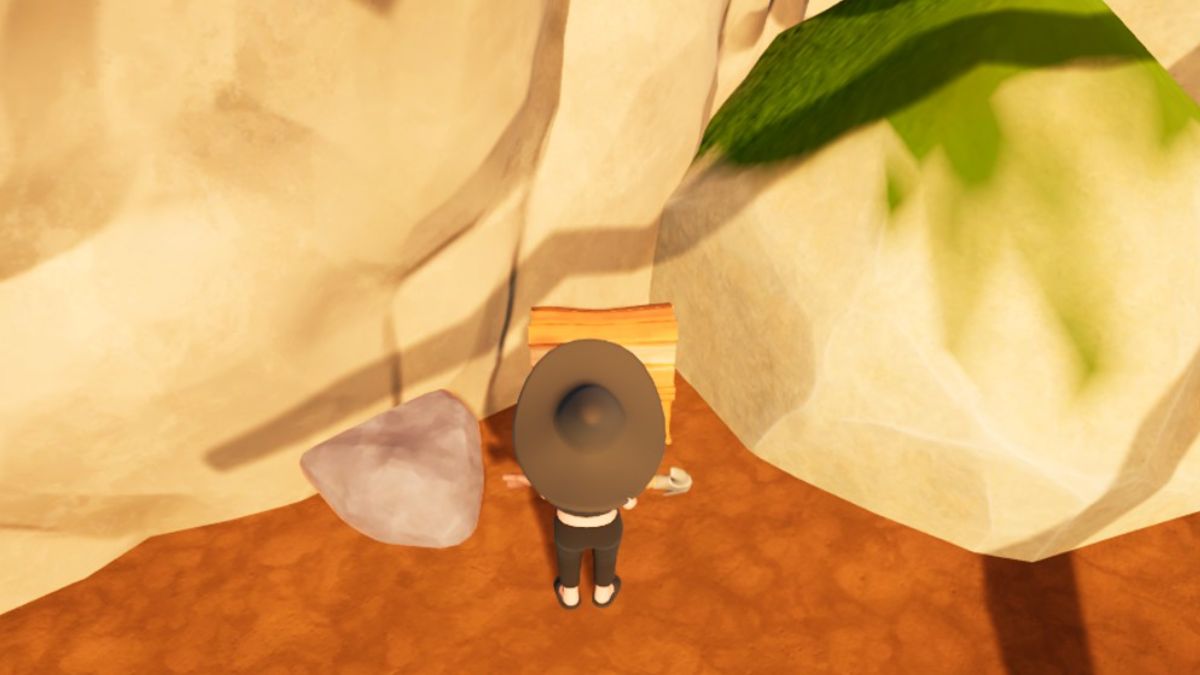
Use the shovel to clear up sand piles, like those in the middle of your house. These need to be cleaned before you can deal with the other debris.
Use the axe to break up broken furniture and wild plants. Even though the hammer says it’s for moving furniture around, that only applies to things in good condition. The broken table and random wood scattered around your house will need the axe to break down into planks.
Use the pickaxe for broken pots. You can break these down for clay.
There are a few things you can’t get rid of until you upgrade your tools, including the larger tree branches blocking the ladder in the back room.
How Stamina & Fatigue Work in Garden Witch Life

Note: Fatigue has been fully removed from Garden Witch Life in the 1.0.19 update. Because console players will still see this mechanic for now, we’re leaving this section for now. If you’re playing on an updated Steam version, you’ll only need to worry about Health and Stamina.
For me, this was one of the trickiest mechanics to figure out. I kept winding up exhausted and couldn’t figure out why! There is a journal tutorial entry on it, but it’s a little different from most farming sims.
You have two bars to watch for your energy levels in Garden Witch Life. The Stamina bar is yellow and is at the top left. This is how much energy you have to complete tasks like chopping wood, cooking, etc.

However, the purple bar under the time of day at the right is your fatigue bar. Once this bar fills, you’ll be exhausted and will be shunted home for a nap. Keep an eye on this as you explore because you won’t be well rested if you wake up from an exhausted nap! Be sure to get home in time to sleep in your bed, so you wake up with an empty fatigue meter the next day!
According to the tutorial, you can eventually increase your stamina by leveling up your skills. Skills take a while to level up, so we’re still working on this – check back soon!
How to Get Into the Mines in Garden Witch Life

Near Tin’s forge, you’ll notice what looks like the entrance to a mine. However, when you go inside, your path is blocked by some big rocks!
To get into this area and progress the story, you will need to buy the Silver Pickaxe upgrade from Tin. This costs a whopping 1600 coins, so start saving!
How to Increase Mental Energy in Garden Witch Life
While HP and Stamina are used and leveled up in fairly obvious ways, Mental Energy is a bit trickier. This stat doesn’t come into play early on. You will only start using up Mental Energy when you unlock the broom.
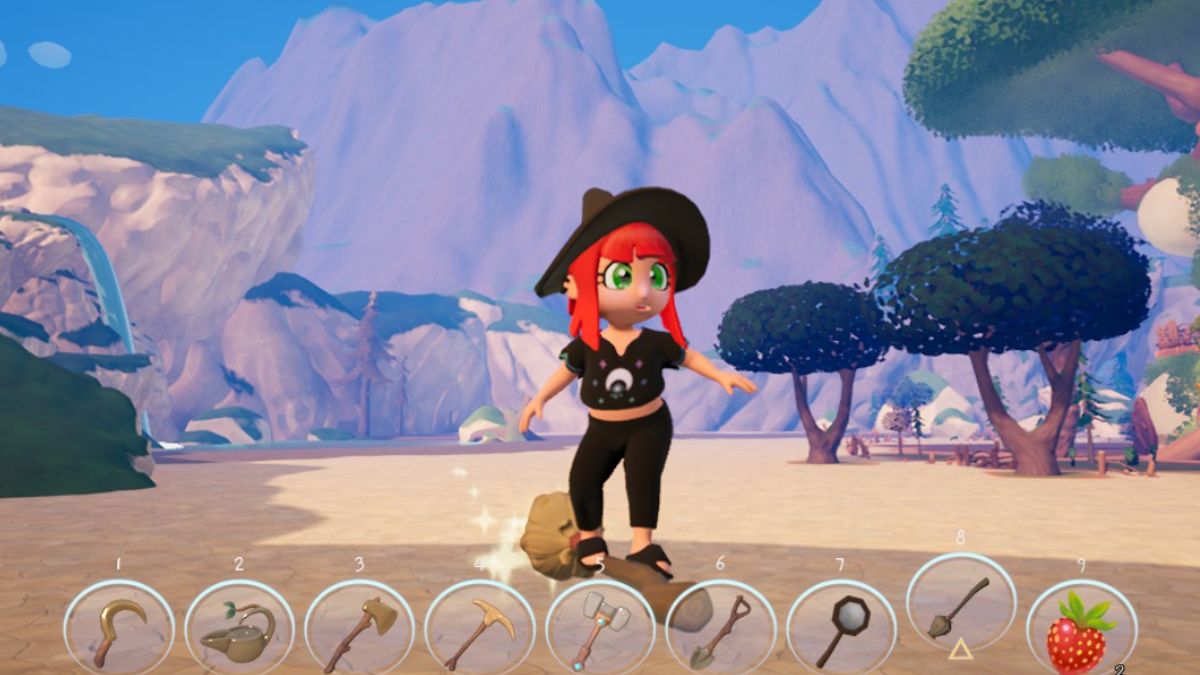
This means you also won’t be able to level up your Mental Energy and increase it until this point. To increase Mental Energy, ride your broom. Over time, you will level up this skill.
Unlike other stats, Mental Energy slowly recharges on its own. So if you run out in the middle of the desert, wait a while. You should get more Mental Energy to surf your broom again.
Progress Reset Glitch in Garden Witch Life – How to Avoid & Fix
There’s a known bug in Garden Witch Life where your progress will sometimes fully reset. You’ll find yourself meeting NPCs again, missing the rope in your well, etc. The developer has shared they’re working to fix the glitch, but for now, here are our tips to avoid it and what to do if it happens to you.
Note: As of the 1.0.19 update, this glitch should be fixed for Steam players. However, it may still occur if you’re playing on console.
Avoid Going to Bed At Full Fatigue
I encountered the progress reset glitch when I went to bed with 75/75 fatigue on my bar. Sure enough, the developer shared in Discord that going to bed with a full stamina bar is the most common trigger for the progress reset glitch.
Make sure you head to bed with a few points left in your fatigue bar, and your progress should be safe.
Reload a Previous Save
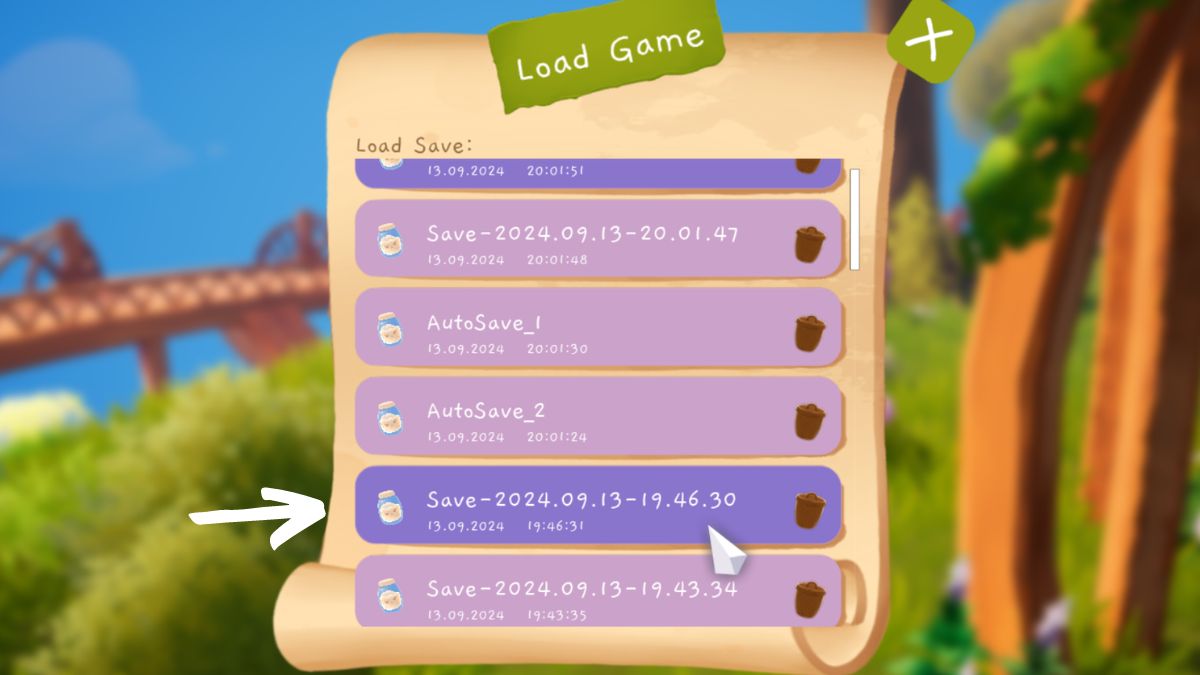
If your progress does end up getting reset, the best way to fix the glitch is to reload a previous save. You can do this by going to “Load” in the menu.
This isn’t an ideal solution because it may put you back a bit, so we recommend saving often until the glitch is fixed.
Garden Witch Life Tasks & How to Complete Them
As you talk to the locals and explore, you’ll uncover new tasks that need completing. Your main tasks show up on the left-hand side of your screen, and you can also find them listed in the menu. Many of the early-game tasks are straightforward, helping you explore the world and find what you need. But as you progress, they’ll get a bit more involved.
Here are the main tasks we’ve uncovered so far and how to check them off.
How to Unlock More Tasks & Progress Tips
During the early game, you’ll have plenty of tasks to do! However, there’s much more of the world to explore and things to do before you run into your next big quest objective.
So, how do you keep making progress?
Give gifts to raise friendships with locals
Giving daily gifts to the locals helps you increase your friendship level, which will help you get ingredients to make more recipes. You can view your current friendship levels in your journal, under the “Characters” section.
Explore the area around your home

There are many exciting places that you can find by venturing out to the edges of your home property. Each one has more seeds and crops to discover, so you’ll want to find them all.
In particular, make sure you head up the hill. There’s an area blocked off by brambles that you’ll need to enter to really progress the story. Be sure to bring your Silver Axe to break through!
Upgrade your tools

To get into the Mines and the Fairy Forest, you’ll need a Silver Pickaxe and Silver Axe. Prioritize earning coins to make these upgrades, and you’ll soon find new questlines to follow.
How to Find Your Way
Your first quest is to get your bearings, but what does that mean? Your ultimate goal is to find May, the baker at Cactus Bakery. It is just to the left of where you started, along the pier.
Here’s what her storefront looks like if you need help figuring out where to go.

Talk to her, and you’ll begin your true adventure.
How to Get Rope to Fix the Well
A Garden Witch can’t do much without water. The rope for the well is broken when you arrive. You’ll need to make a new one.
To do this, cut down some of the crystal wheat surrounding your yard. It will yield plant matter which you can use at the workbench in your house to craft rope.
Once you make the rope, head out to the well and fix it. Now, you’re all set up with a water source!
How to Plant Seeds for Crops in Garden Witch Life
If you’re expecting a hoe to till the ground before planting your seeds, you might be confused about this quest. I know I was. In Garden Witch Life, you don’t till the soil before planting.
Find the seeds in your inventory, add them to your toolbar, and hit the plant button. You’ll see a glowing circle around the plant, which tells you its sphere of energetic influence.
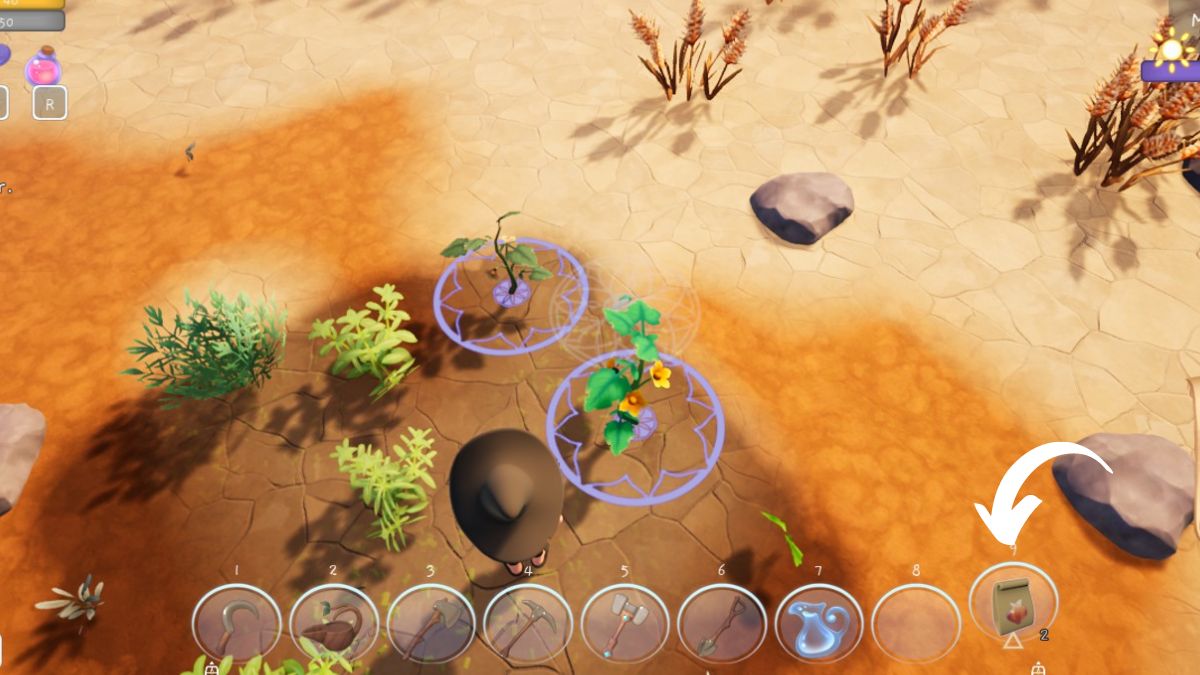
Early on, this won’t make much of a difference, but later, you’ll want to pay attention to the colors to learn which plants like being near one another.
After you plant the seeds, be sure to use the watering can to water them! You can refill it at the well in your yard,
Where to Find Everyone to Deliver Aurel’s Flowers
After you introduce yourself to Aurel, you’ll find a letter waiting when you get home. Go see Aurel again to learn their bright idea – delivering crochet flowers to everyone in the village! Since you and Aurel are both newcomers, this helps spread the word to the community about their new General Store and local garden witch.
You will deliver the crochet flowers in a specific order, with each task popping up as you deliver the previous flower.
Deliver a flower to Tin

Tin is in the forge. It is the first area you see to your left when leaving your home, just above the General Store.
Deliver a flower to May

May can usually be found in the Cactus Bakery where you met her.
Deliver a flower to Gemmi

Gemmi typically walks around the town square, then all the way up the hill to the medical center/spa area and back.
Deliver a flower to Rud the Magnificent

He is usually roaming the main town square area.
Deliver a flower to Nira
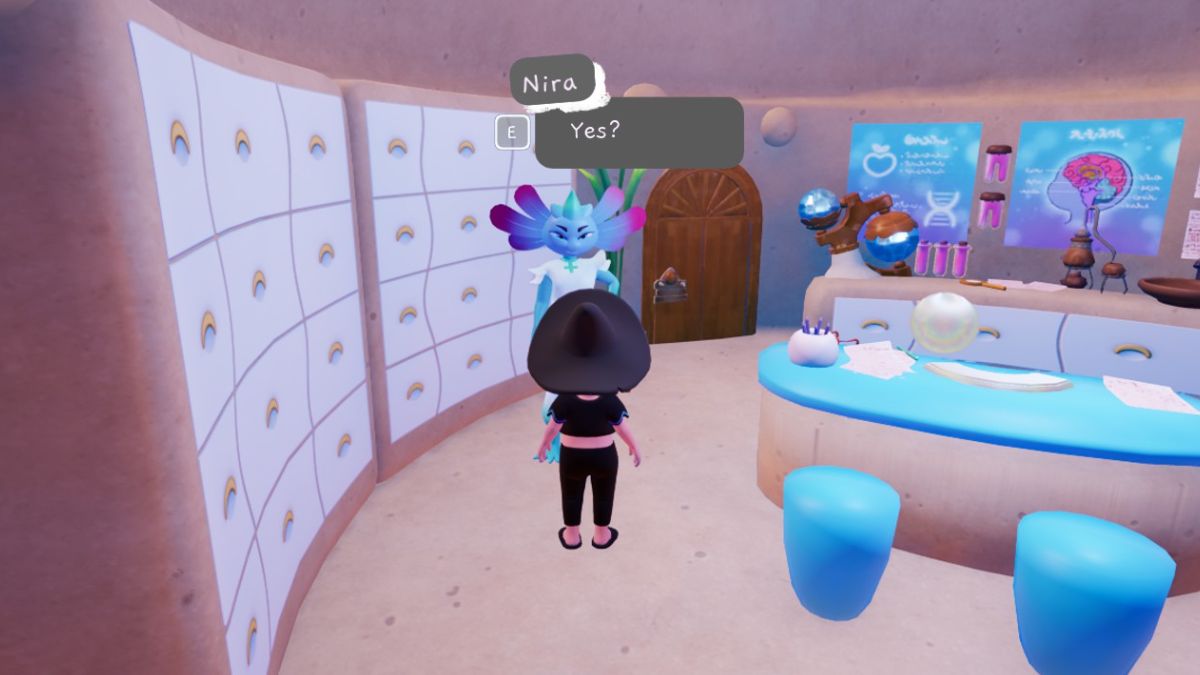
Head up to the top of the hill past the beekeeper area to find the spa/medical center.

The doctor hangs out in the back room and is always very busy but will pause to accept your gift.
Deliver a flower to Lily

This shy beekeeper/carpenter hangs out near home. Lily lives up the hill to the left of the General Store.
Deliver a flower to Luam
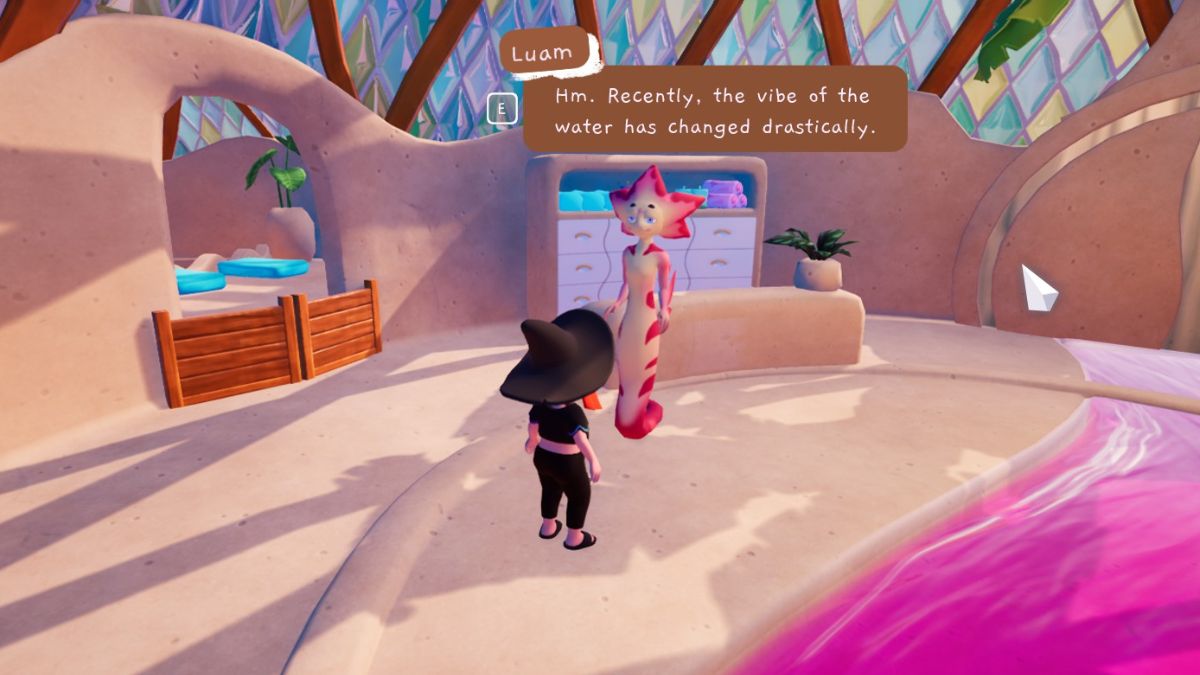
This person runs the spa and is usually walking around in the main area of the spa/medical center since the spa is closed.
Deliver a flower to Lyra

Lyra works at the library, which was the toughest place to find for me personally. The library is accessible only via a magical pathway that only appears if you stand near the river to the right of the General Store.
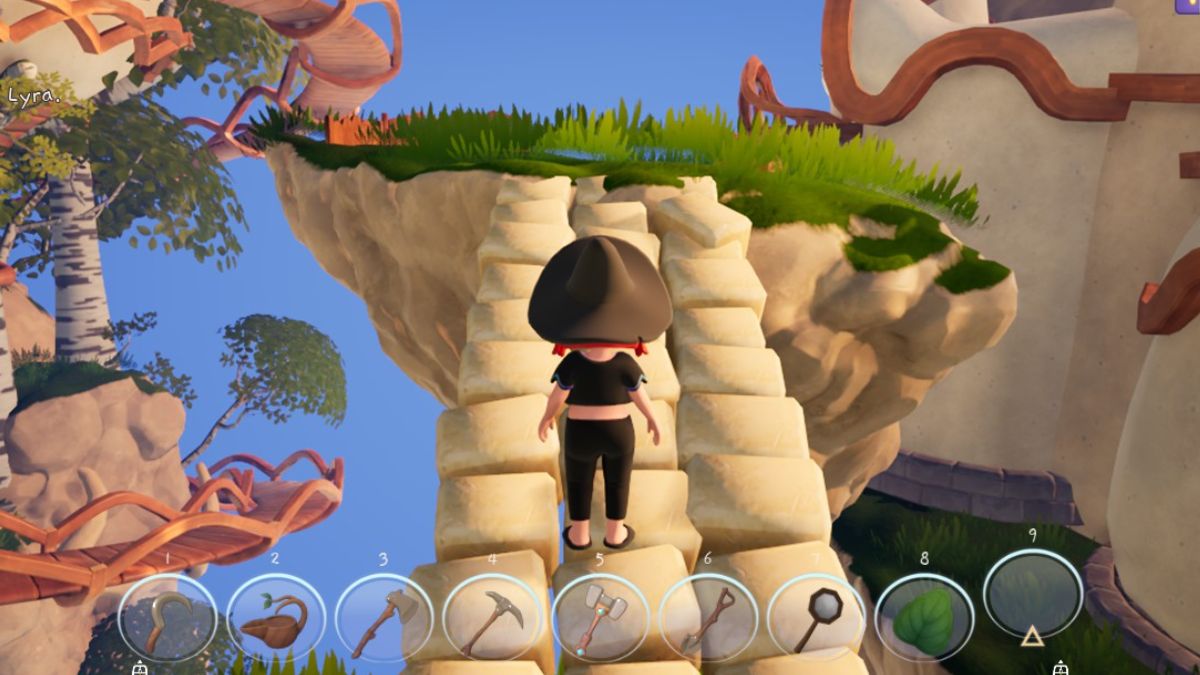
Follow the magical cobblestones up to the big tree, and you’ll find the library and Lyra to deliver your last crochet flower.
Once you deliver all the flowers, check back in with Aurel. They are always at the General Store during opening hours. Check the sign if you need a reminder of when the store is open.
How to Build the Composter
Once you meet the adorable Garden Ghost, they will give you a task. May’s fertilizer recommendation wasn’t the answer to healing your soil. Compost, made from those overrun crystal wheat plans, is! Ghostie wants you to craft a composter.
To do it, you’ll need to gather wood and craft wood planks. You will also need to buy the recipe for the Raised Bed from Lily.

The recipe also calls for grass, which you can get by using the scythe on dried grass near your house. Once you have all three, you can craft the composter and begin using all that plant matter to enrich your soil.
How to Heal the Polluted Water & Reopen the Spa
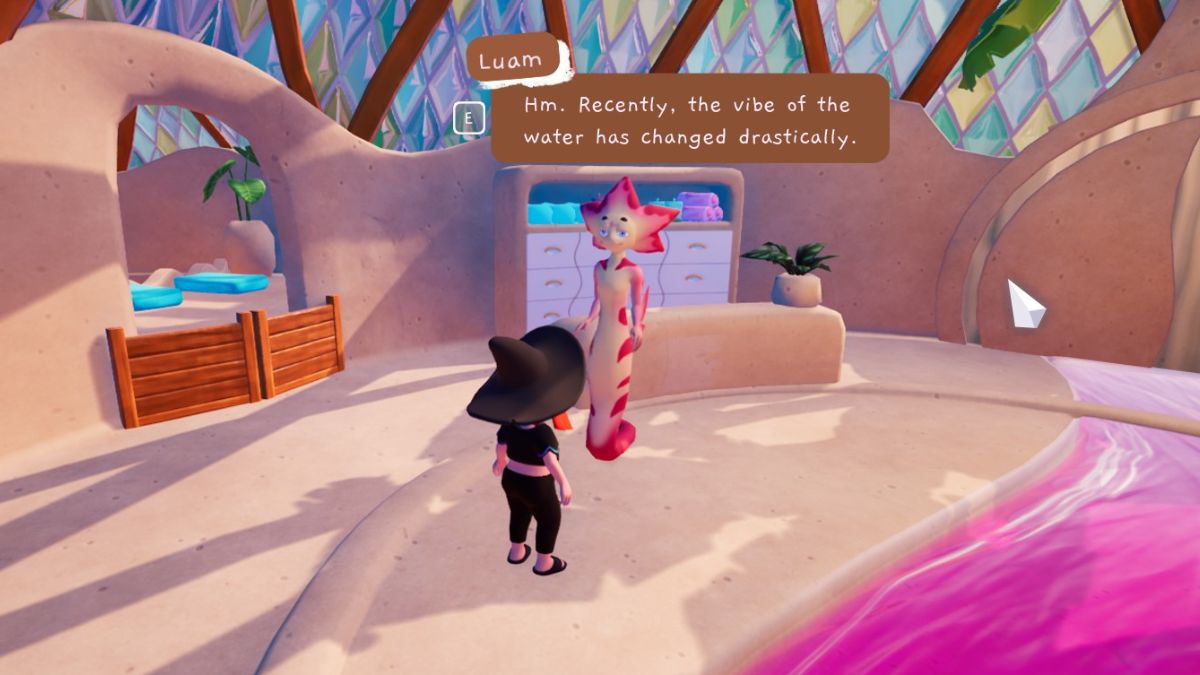
Early on in talking with Luam and Lyra, you’ll learn that the water on Moonflower Island is polluted. It’s no longer healing people, but actually hurting them!
This doesn’t become an official quest with tasks, but if you want to see what’s going on in the Spa and with the Tree of Knowledge, you’ll need to clean the water.
To do so, you’ll need to gain access to the mines by upgrading your pickaxe. Once inside, you’ll see that the water level is suspicously high, flooding the place. In the process of clearing out the blockages, you will also purify the water and reopen the spa. See below for help clearing the water in the mines!
How to Find an Alternate Use for the Key
As you explore near your house, you’ll find a hill with some strawberries on it. There’s an opening blocked off by some thorns, which you can cut through once you upgrade to the Silver Axe.
Chop your way through and you’ll enter a mysterious Fairy Forest. Here, you can find items like Fairy Dew, Fairy Grass Seeds, and Fairy Dust.
Hop across the lilypads all the way to the other side of the forest, and you’ll find a mysterious platform. Interact with it and you’ll be teleported somewhere mysterious! After all those strange technological happenings, you’ll open up a quest to talk to Tin.
When you do, she explains that you’ve re-activated the old Teleporters! You can now fast travel, but there’s more – Tin thinks the key might have another use. And that’s about all the guidance she gives.
The other use is actually helping you clear out the water in the mines, so if you’ve been stuck trying to do that, now’s your chance!
How to Drain the Water and Clear Out the Mines
The first time you enter the mines, you might be expecting levels of rocks to smash up. Instead, you’ll find the water level alarmingly high! Before you can really explore, you’ll need to clear out the water level. But how?
There are four total drains you’ll need to find and clear out to fully lower the water level. To get to the first one, head down the ladders until you’re able to swim. Then, swim far over to your left until you see a glowing crystal drain that’s blocked by visible debris.
TIP: The camera angle can get pretty glitchy when swimming in the mines. If you become invisible, try pressing the start menu and using “Reset Player Location” to try again. I was able to eventually get it to work by doing this.

Get close enough to interact with the debris to clear them, and the water level will go down.
You’ll be able to access more of the mines at this point. However, before you can drain the next level, you need to have the quest log item “Find an Alternate Use for the Key.”
This is a quest from Tin that is sparked by a certain event in the Fairy Forest. If you haven’t gotten there yet, make sure you upgrade to the Silver Axe and make your way through the thorny branches growing on the hill near your house. Only once you’ve explored that area and found the Teleporter at the far end will you be able to fully drain the mines.
Once you have the Teleporter Key, head back to the Mines. You will now be able to interact with the second drain, which is across the water from the first one and mostly obscured by water until you clear it. You’ll need to hop down onto some rocks to reach it, as pictured below.

You can also touch the little crystal structures in the mines to create a glowing beacon. These beacons light up points of interest in the mines and can help you find the other drains.
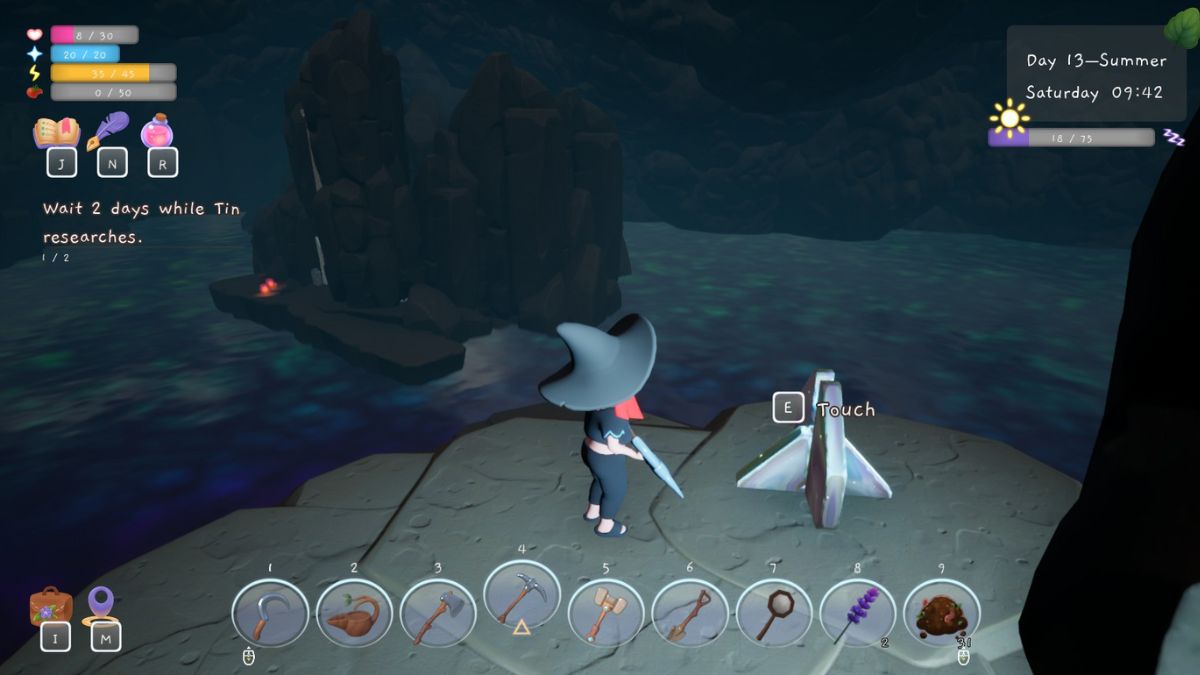
I was able to follow them to find and clear the other two drains.
One is at the end of the newly revealed wooden bridge that you can access once you’ve lowered the water level twice. It is through some more branches that you need to cut with your Silver Axe.
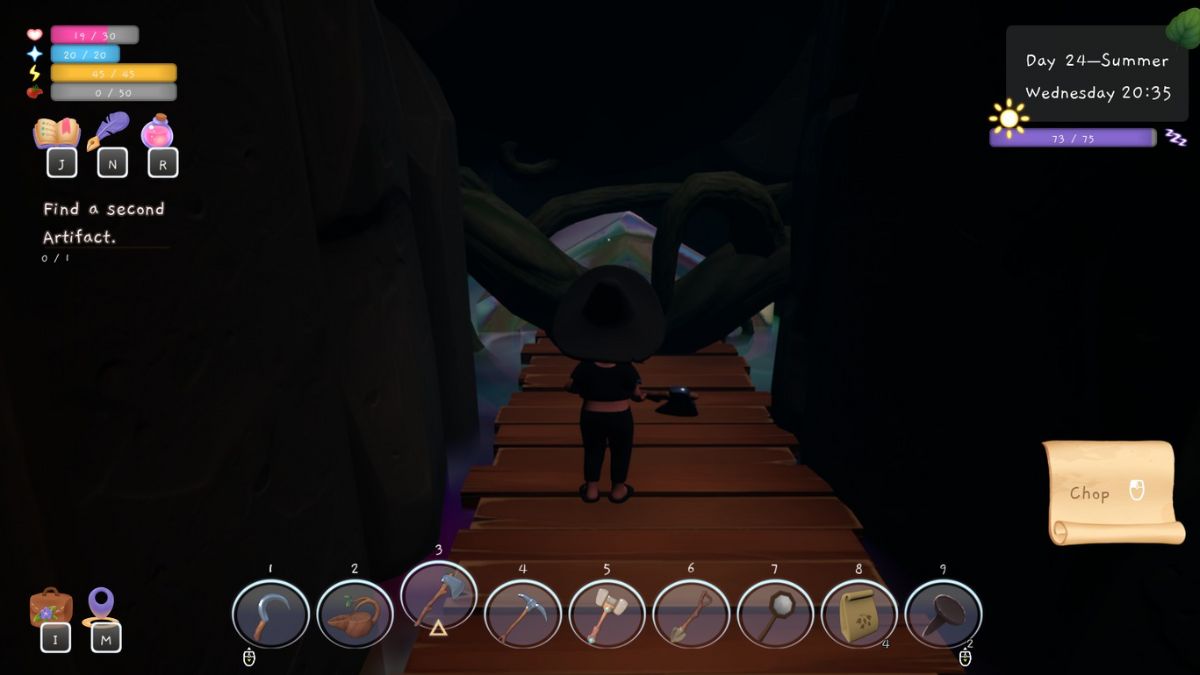
The last drain is mostly underwater and can be a bit tricky to find. Look for a beacon that’s coming up out of the water. Swim to it and look around until you see just the top of the final drain.

You should be able to interact with it and clear the remaining water. Your character will helpfully remark that it’s the last drain, so you know you’re done!
There will still be water at the very bottom of the mines, but you will be able to access all of the wooden bridges. You should also see a large crystal structure at the bottom, sticking out of the water.

Make sure to investigate this, as there’s something exciting you want to find to progress the story, and a crystal chest with some goodies as well – including the recipe to craft your very own witch’s broom!
How to Charge the Ancient Battery
Once you take the object you found to Rin, she lets you know it’s an ancient battery! But, it’s out of charge. You will need to find a way to infuse it with electricity once again.
To do this, you need the Gold Pickaxe. Once you have this upgraded tool, head to the back entrance to the Mines, where you emerge close to your house.
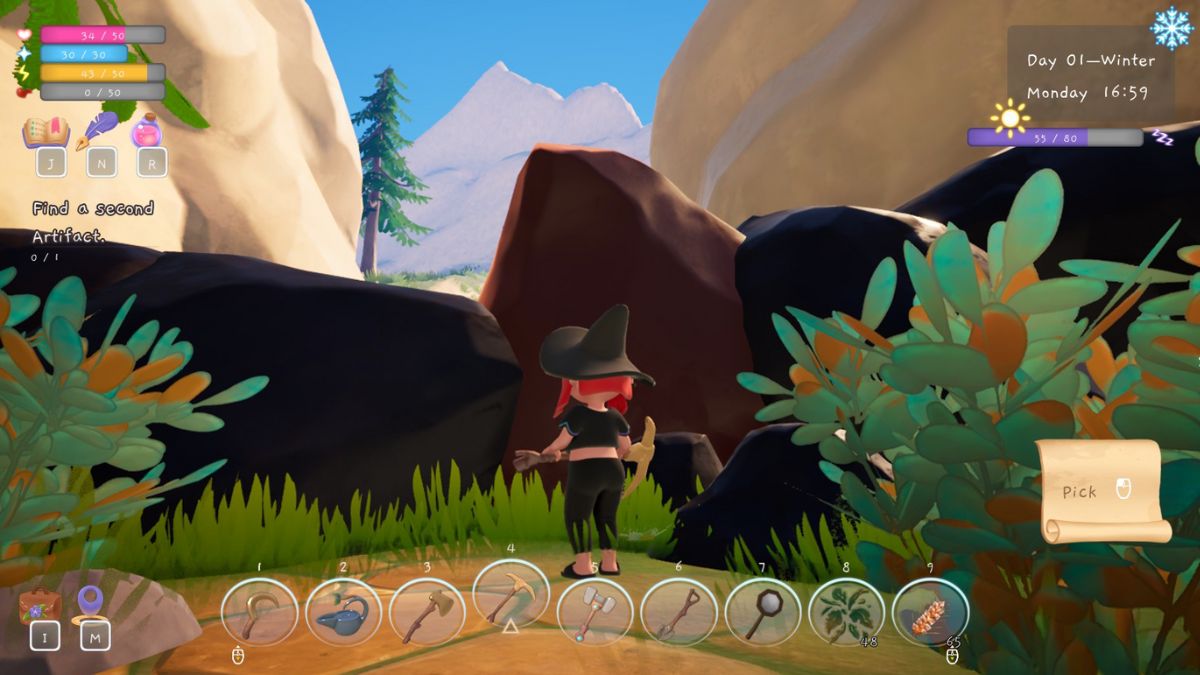
Here, there are some big rocks you previously couldn’t break. Smash them with the Gold Pickaxe and enter a pine forest.
At the far end of the forest, there is a large crystal structure.

Place the ancient battery here and wait a day for it to charge. Then, you will be able to move to the next stage in this quest!
How To Activate the Gate in the Mines
Once the battery is charged, your new quest is to see if it will help you open the gate in the mines! The only trouble is, there’s no obvious path to this gate. While you can see it, it doesn’t connect to any of the bridges.
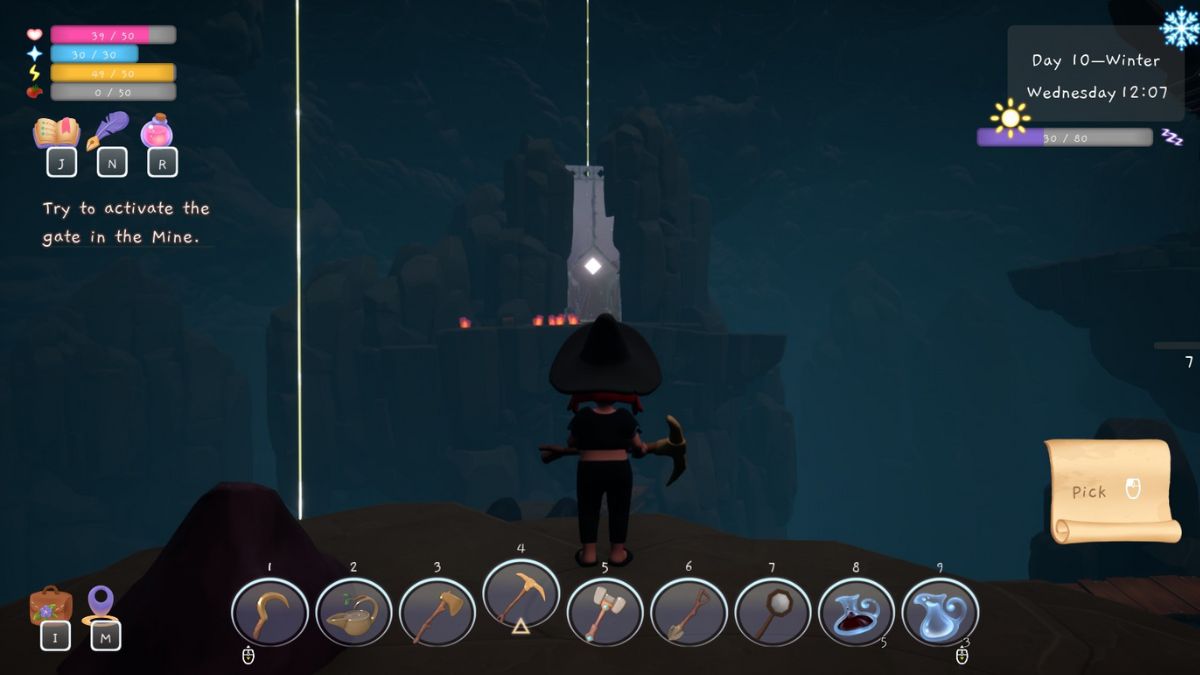
To complete this quest, you need to make your broom. This can be tricky as it requires items from nearly every season, from Spring & Summer strawberries to Winter snowflakes. Once you’ve collected everything and craft your broom, return to the mines.
You want to start from the entrance by Rin’s shop, which is the highest point in the mines. From there, point yourself in the direction of the gate and use your broom to “surf” to the gate.

Once you get there, simply place the battery and the gate will open! Walk through, and you will enter another mysterious new area in Garden Witch Life.
Check back for updates on more quests & how to complete them soon!
Looking for more witchy walkthroughs? Check out our guide for Reka in Early Access and our review of Garden Witch Life!
About the Author

Discover more from Bonus Action
Subscribe to get the latest posts sent to your email.