Photo by Bonus Action
I have been on the hunt for a new daily-use keyboard for nearly two years. I wanted something that would look nice, but hold up to daily typing use. I am also a speedy typer, so a mechanical with a sensitive switch was an absolute must. After spending two months with the ROG Azoth x Gaming keyboard as my primary option, I think I’ve finally found the new desk companion I’ve been looking for.
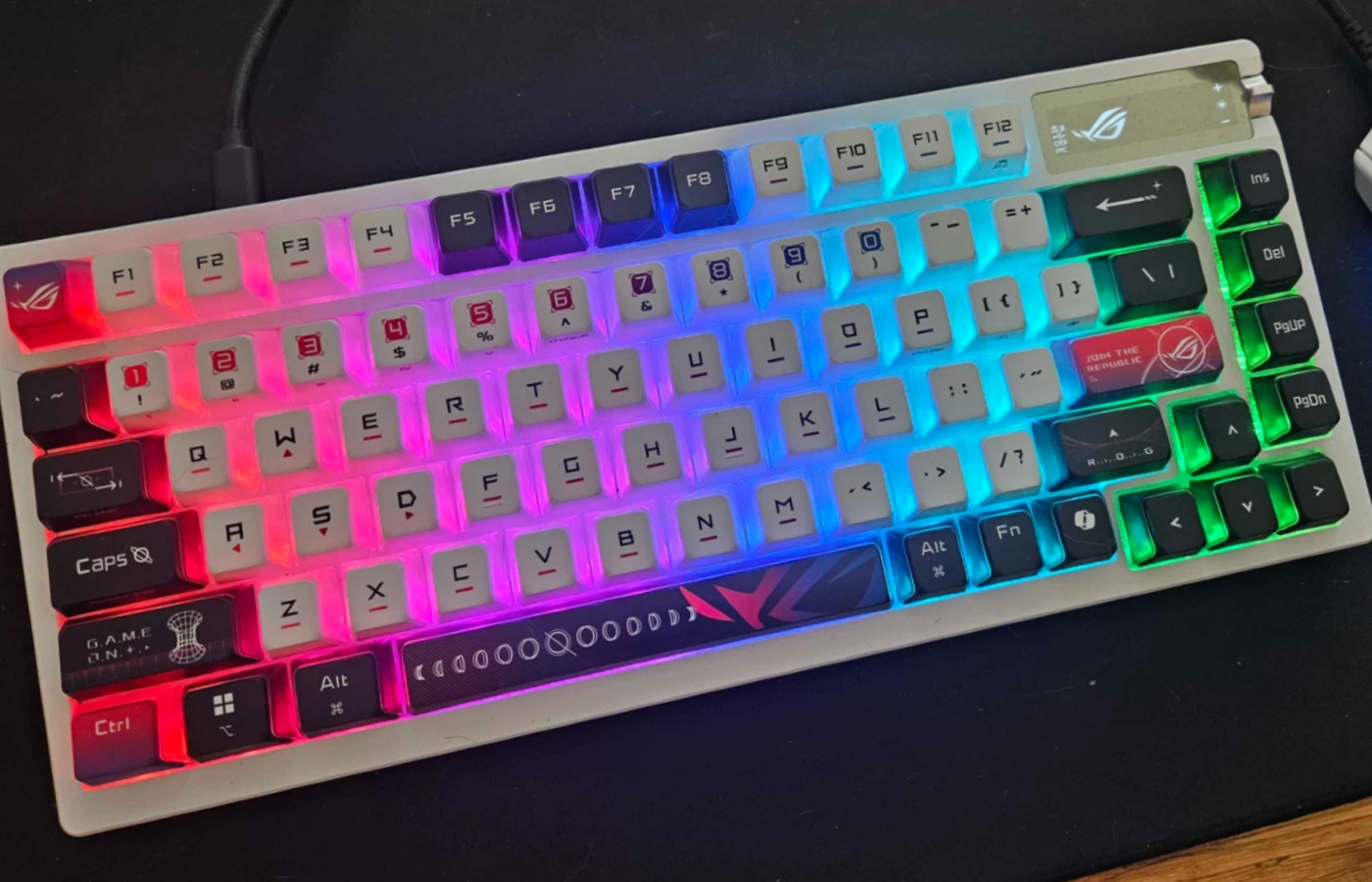
The Azoth x is a stunning combination of quality and style. The Stellar-Themed keycaps are beautiful, and the switches are sensitive but satisfying thanks to the five-layer dampening system in the base of the keyboard. It’s also one of the easiest setups I’ve had for a keyboard, as it doesn’t require any extra software if you don’t want to use it.
Key Details
- Developer: ASUS Republic of Gamers
- Profile: 75%
- Ten Key: No
- Mechanical: Yes
- Customizable/Repairable: Yes
- Compatible: Mac/PC
- Switches: NX V2 Snow Linear Switches
- Price: $299.99
- Review Sample Provided: Yes
Stylish and Sleek

The first thing to talk about is how beautiful the Azoth x is. This keyboard offers a unique sort of style with its space-themed look and specialized keycaps. The caps that come with the keyboard are translucent on three sides, allowing the powerful RGB to shine through.
The RGB can be controlled using the OLED control screen at the top-left of the keyboard, with several presets available for those who don’t want to program the RGB settings using software. The intensity of the backlight can also be controlled from this screen, allowing users to turn down the lighting while gaming if their preset is too bright.
My favorite things about this keyboard’s overall design are the coloration. The white of the silicon wrist rest and primary keys is a sharp contrast to the infigo and purple of the accent keys. The magenta is an extra lovely touch, giving it a sleek but colorful appearance that is neither garish or boring. A nice medium in a world of monochrome or anime-themed gaming keyboards.
Quick Customizations Via a Clear OLED Control Panel
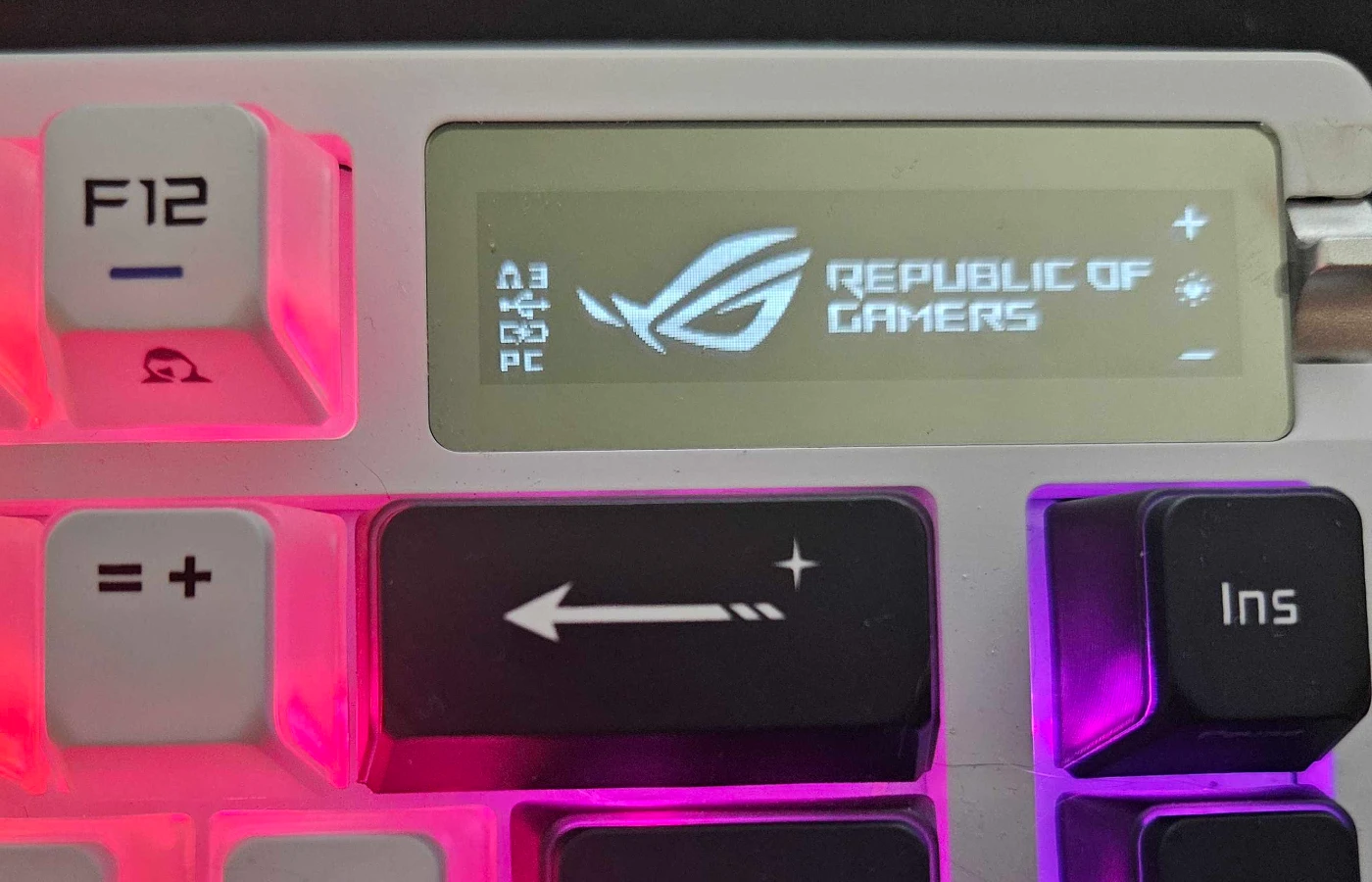
When I first unboxed the Azoth x, I wasn’t sure how I was going to feel about the OLED control panel. In the past, I’ve had control panels that frequently misfired or reset my settings. Thankfully, I haven’t had any of these issues with the OLED control panel on the Azoth x. If I want to change the volume of my music, I can do so by pressing the button on the control wheel and then using the wheel itself to easily dial the sound up or down.
This is also the same for changing the lighting effect presets and brightness. It’s simple, clean, and easy to use. No extra programming required. This is a relief after struggling with several Stream Deck models that weren’t particularly helpful.
However, I will say that as far as OLED goes, I don’t know that an OLED screen makes a difference compared to an LCD in this case. While the little screen is clear and crisp, the point of OLED tech is to show off contrast between colors and true blacks. Because there is no color in the little window, it doesn’t feel like a true showcase of what this type of visual tech can do. That said, it is very crisp and pretty and adds a lovely accent to the face of the keyboard.
Gear Link Makes Customization A Breeze
Keyboard setup can be a real hassle, especially if you are like me and you don’t need to spend a lot of time mapping keys to make things look a specific way for a streaming setup.
This is where the Azoth x and Gear Link come in. Gear Link is a browser-based customization software that offers a quick and easy way to set up your OLED Screen, RGB settings, and any other little extras on the Azoth x. I was so grateful not to need to download another type of keyboard software when setting up this keyboard, and I love how intuitive and easy Gear Link is to use.
I was able to make my keyboard glow blue and magenta with no effort, and now I swap between this and the rainbow option regularly, just to change up what my keyboard looks like.
Is it Worth the $300?
The big talking point about this keyboard is the price tag. $300 isn’t a small amount of money, but let’s break down what you get for this price. You get premium, specialist PBT keycaps, a fully customizable baseboard, the OLED Screen, Wireless connectivity, a sharp, customizable RGB, and the NX V2 Snow Linear Switches out of the box. This keyboard is like buying a desktop computer. If something breaks, you’ll be able to replace or upgrade components, but the base form will still be solid and ready to go years from now.
I wouldn’t recommend this keyboard to a casual gamer or typist, but for anyone looking to upgrade their setup with a premium option that offers a large amount of flexibility, this is a great choice. It is also compatible with both Mac and PC, and can be changed to fit the mapping of either right on the face of the keyboard at any time. This means it can be used with a PC Gaming Rig, and then swapped to a Maxbook or other Max device at any time with no issue.
The versatility of the Azoth x makes it a premium product worth the investment, especially for those who will get the use out of it.
Final Score – 8.5/10
The ROG Azoth x Gaming Keyboard is a delightful, colorful, durable accent to any gamer’s desk setup. Its versatility and customizability make it a great option for anyone who likes to upgrade or change their switches, and its base set of specs is a premium selection that will look great and work splendidly right out of the box.
After two months of daily use, I can only say that my love for this keyboard has grown. It’s not leaving my desk any time soon, and I would recommend it to anyone looking to upgrade their setup in the near future.
**Bonus Action was provided with a sample of the ROG Azoth x Gaming Keyboard for the purpose of this review**
About the Author

Discover more from Bonus Action
Subscribe to get the latest posts sent to your email.