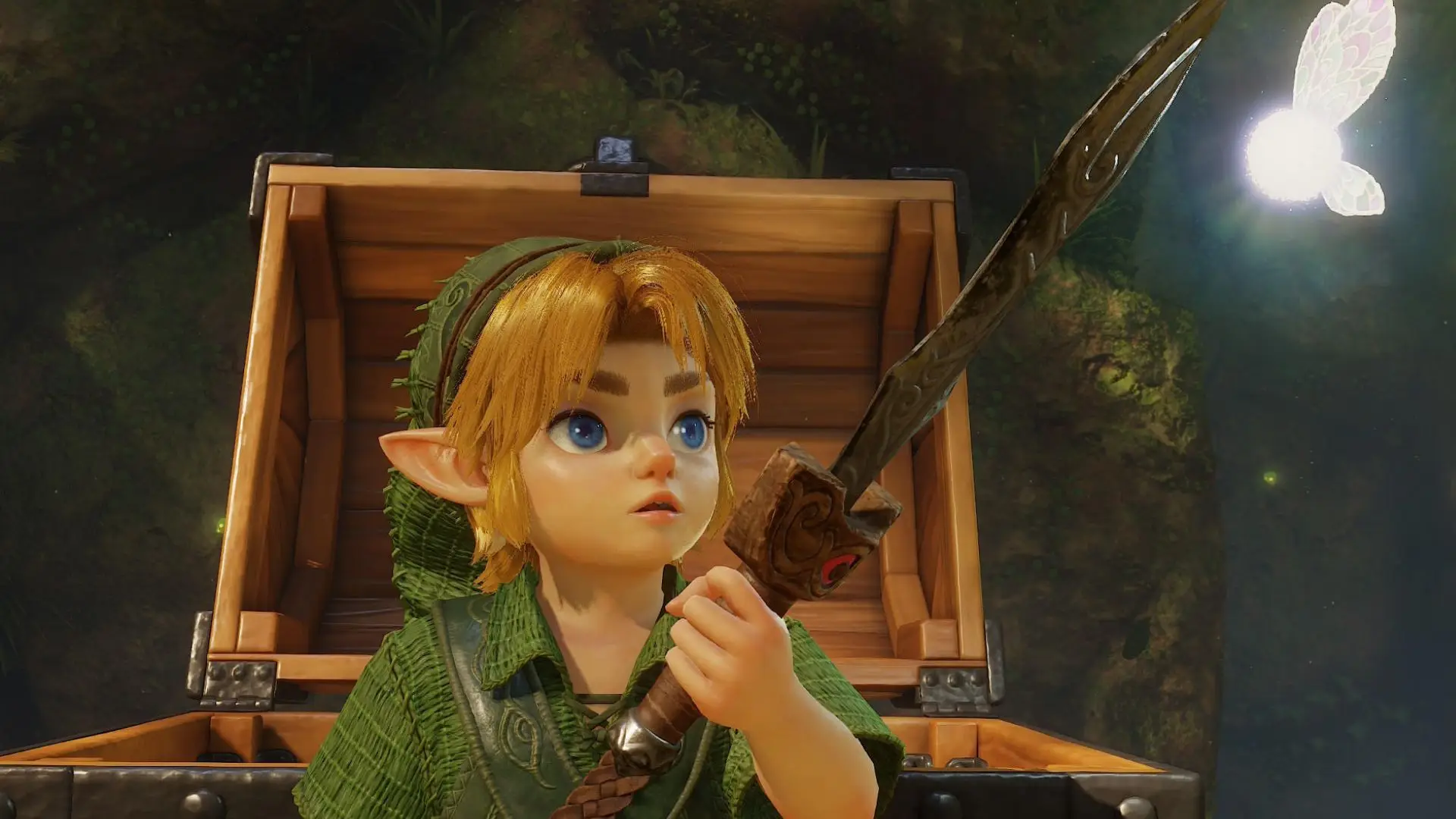
Screenshot by Bonus Action
Back in 2025, Nintendo introduced Zelda Notes as a companion feature to go with the new Switch 2 versions of Breath of the Wild and Tears of the Kingdom. The feature lives inside the Nintendo Switch App and functions as part guide, part supplemental stats feature. With the release of Legend of Zelda: Ocarina of Time, the app got an update with new content specifically for the remake. But do you really need it for your playthrough?
Like any tool, there are pros and cons to using Zelda Notes while playing Ocarina of Time. For those of us really in it for the nostalgia, playing the game with an app open on our phones might seem like a wild idea. But, optional map and gossip quest features aside, the Zelda Notes app mostly offers fun stats to track your playthrough. So, it could be a fun supplement to the game. Let’s break down how Zelda Notes works with Ocarina of Time on Switch 2 so you can decide.
What Is Zelda Notes?
Zelda Notes is a tool that lives within the Nintendo Switch App, as part of its game-specific services. It houses a helpful map to help players reach 100% completion in Legend of Zelda games on Switch 2, including Breath of the Wild, Tears of the Kingdom, and now Ocarina of Time.
Aside from the map, though, it’s less of a guide and more of a fun companion to the game for those who love a good stats breakdown. It features highlights from your playthrough and other social tools. Each game’s specific services and features vary, and all of them require playing online and having your game connected to the app.
How to Enable Zelda Notes for Ocarina of Time
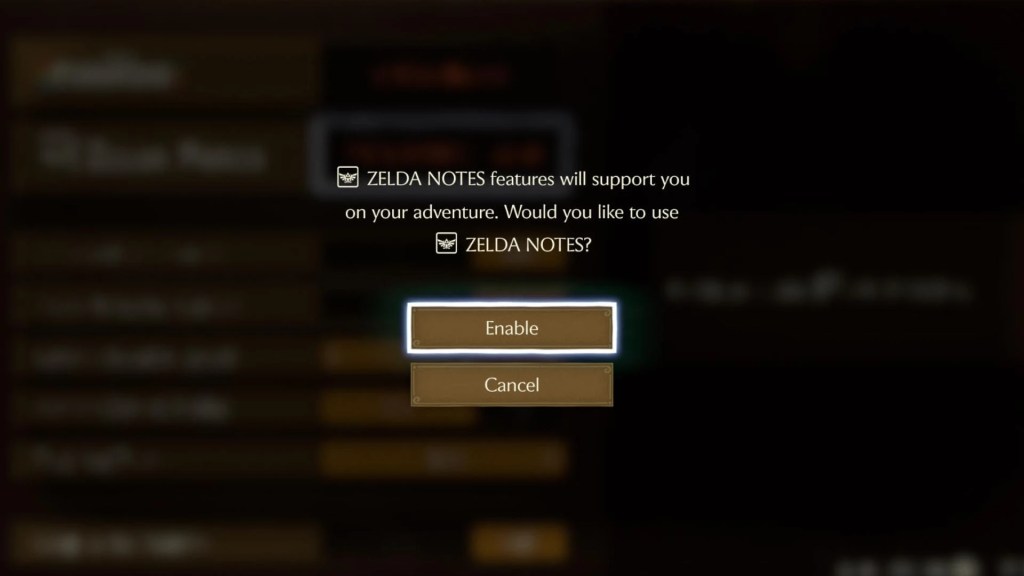
If you want to use Zelda Notes, you need to toggle them on. By default, the Zelda Notes connection is toggled off when you first start playing Ocarina of Time. You can enable it right from the title screen, or while playing the game.
To turn Zelda Notes on, head to Options. There, you’ll see Zelda Notes listed right below the amiibo connection feature. To turn the feature on, highlight where it says ZELDA NOTES disabled. Then, confirm you want to enable Zelda Notes. Once you do, the game will begin sending your data to Zelda Notes.
Of course, you will also need to have the Nintendo Switch App on your mobile device and log in using the same account that you’re using to play Ocarina of Time. Once you do that, you should be able to click into Zelda Notes and view your relevant stats and the interactive map guide. You can turn the feature back off at any time from the Options menu.
Zelda Notes Features (& Which Ones to Avoid If You Don’t Want Spoilers)
In total, there are 11 different features in the Ocarina of Time section of the Zelda Notes app. Of these, only two contain guide content that might involve spoilers. Those features are:
- Map
- Gossip Quests
The other features are largely data tracking and social-focused, such as the Photo Studio that lets you decorate your in-game screenshots, or My Play Data, which tracks in-game actions like cutting grass or breaking pots. You will earn in-app medals and achievements for hitting certain stat milestones. If you enjoy achievements, or just love comparing stats, this is definitely a fun supplement to the game. But it’s also definitely not a requirement for enjoying your time in Hyrule.
You can read a detailed breakdown of each of these features in the Nintendo Switch App by clicking into Zelda Notes, then Ocarina of Time if you’re curious. For our purposes, let’s focus on the two that might spoil your game – or help you hit 100%.
Note: I have included screenshots from both features below, but they are taken during the first ~30 minutes of gameplay. So there should be fairly few spoilers, and only for early game.
How the Map Feature Works
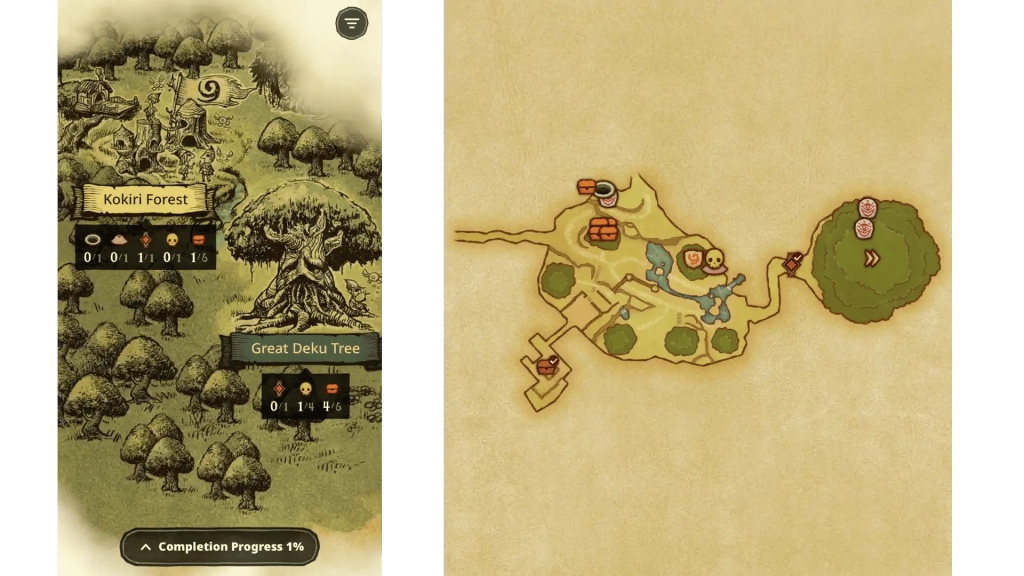
The Ocarina of Time map is an interactive guide for completionists. As you play the game, it updates with your location and % of completion in real time. Only areas of the map that you’ve actually explored will show up. However, be warned that the map marks all important collectibles in an area once you enter it. So if you prefer to hunt down Gold Skulitulas, treasure chests, and the like without assistance, be careful when using this tool.
If you, like me, can’t avoid getting lost in a game to save your life, this is a nice guide to have open while you play if you want to avoid missing anything important.
What Are Gossip Quests?

The other semi-spoilery feature in Zelda Notes is Gossip Quests. This feature basically adds little mini-quests to find specific locations in the game, then perform specific actions to earn points. Those points can then be traded in to download songs from the Legend of Zelda soundtrack. Because it previews in-game locations and NPCs, there could be spoilers for those unfamiliar with the story.
This feature is a little fiddly, in that you have to open the app and perform a check while standing near the object in question to record progress. So, it does require having your Switch 2 and phone at the same time, which could pull you out of the immersion a bit. But if you want another goal as you work to save Hyrule, this will let you add even more quests to the game.
In all, Zelda Notes is a cool companion to the game, but it’s definitely not necessary for enjoying Ocarina of Time. That said, the immersive map is pretty cool for those hoping to hit 100% completion on a first playthrough.
Still here? Good.
That means the article did its job! If you’d like to see more of them (and get first crack at what’s next) our Patreon’s the place.
About the Author

Discover more from Bonus Action
Subscribe to get the latest posts sent to your email.