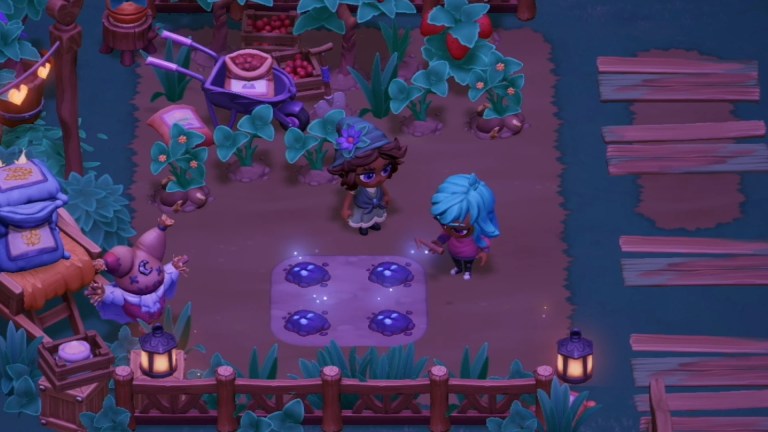
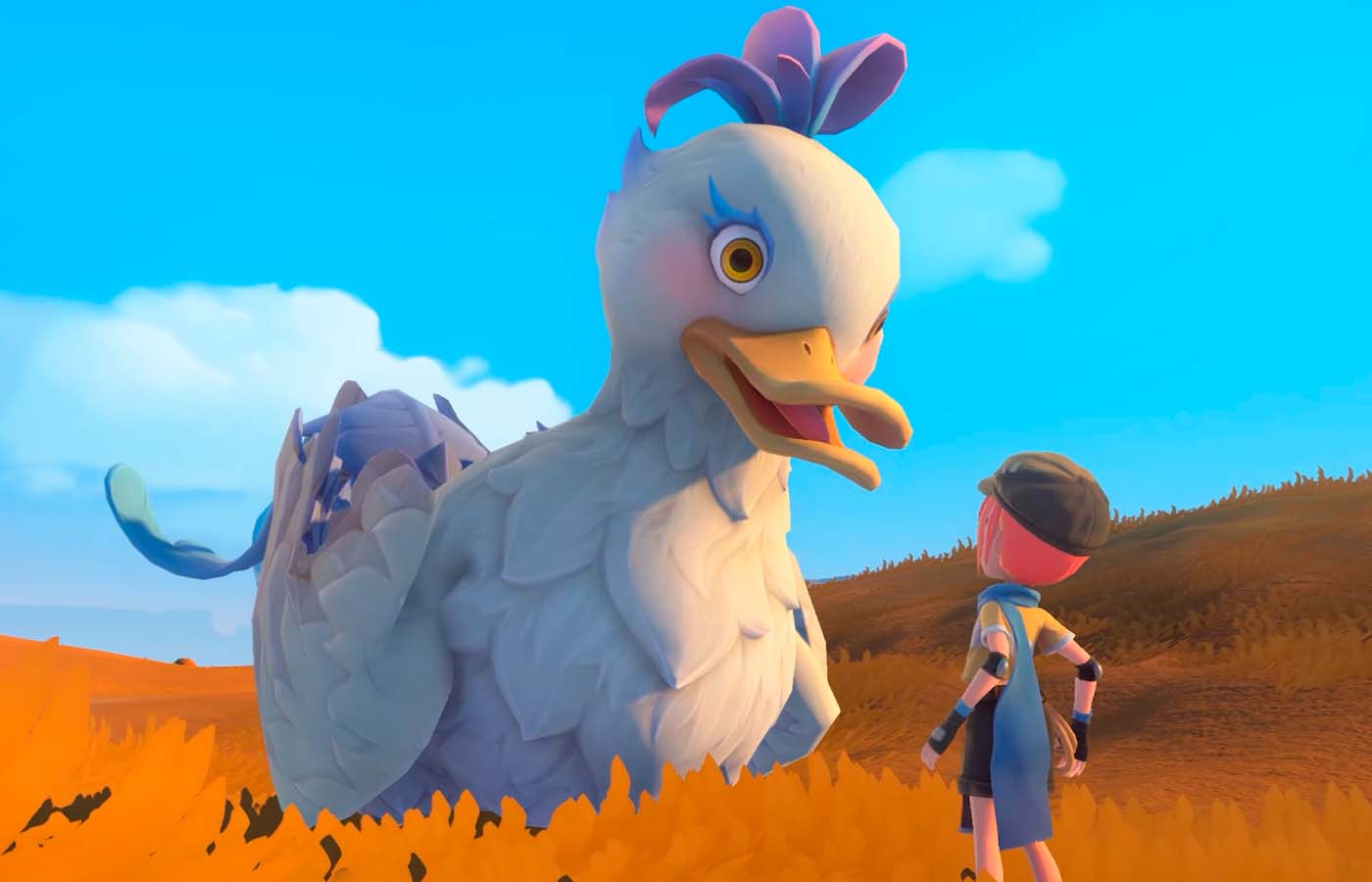
Having a bunch of little pets trailing behind you sure makes your time at Sandrock just peachy. Here is everything to know about My Time at Sandrock pets following the new update.
Besides delivering terrible jokes, I’m here to help guide you through all the new content the free Pets update and the Monster Whisperer DLC delivered to My Time at Sandrock. It’s all available from the moment you start the game, but finding out how to catch monsters, care for your monster-turned-pet, and fully customize them can be tricky. Treat this guide as an F.A.Q. for all your pet caretaker and monster collector needs in My Time at Sandrock.
Table of contents
- How to use Meatballs in My Time at Sandrock: Monster Whisperer
- How to Release Caught DLC Monsters in My Time at Sandrock: Monster Whisperer
- Where is the Boutique Store in My Time at Sandrock: Monster Whisperer
- How to get more Pet Coins in My Time at Sandrock
- How to Purchase Accessories for Pets in My Time at Sandrock
- How to Change the Color of Your Pets in My Time at Sandrock
- How to Upgrade Pet Relationship in My Time at Sandrock
- How to Change the Name of a Pet in My Time at Sandrock
How to use Meatballs in My Time at Sandrock: Monster Whisperer
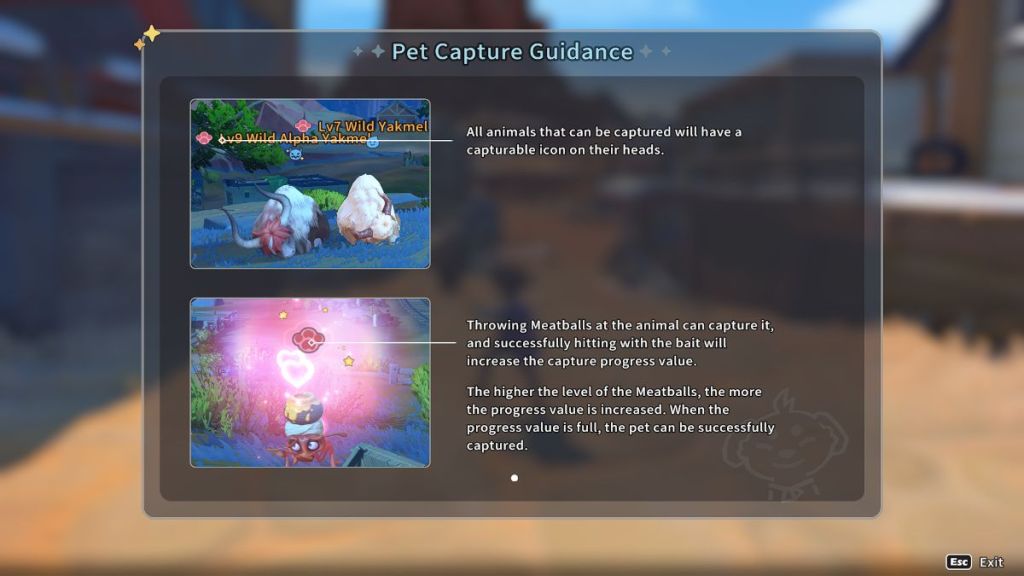
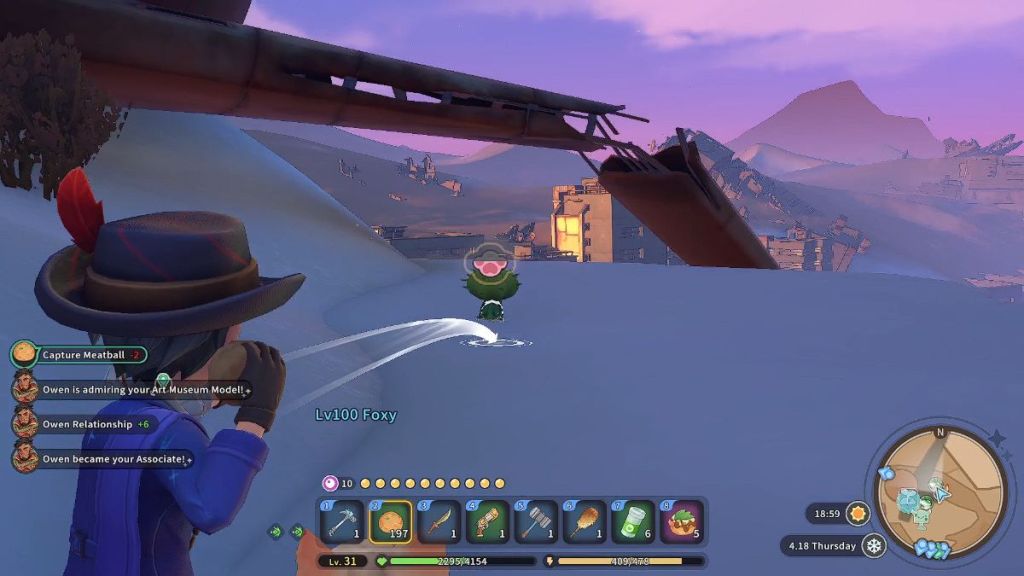
To use a Meatball, equip it on your hot bar and press Q to aim. When you’re ready, press the left mouse click to throw the Meatball.
You can catch monsters by throwing more than one regular Meatball or upping the quality to do fewer throws. As you throw Meatballs, the pink meter above their heads rises. If you don’t fill up their meter quickly, it starts decreasing.
Keep in mind Elite and Boss monsters require higher-quality Meatballs.
How to Release Caught DLC Monsters in My Time at Sandrock: Monster Whisperer
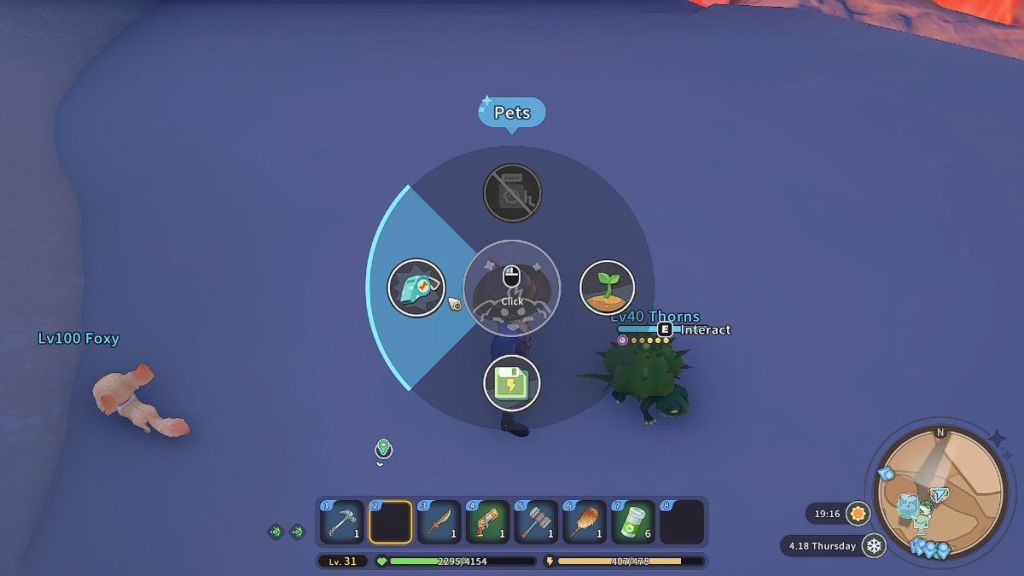
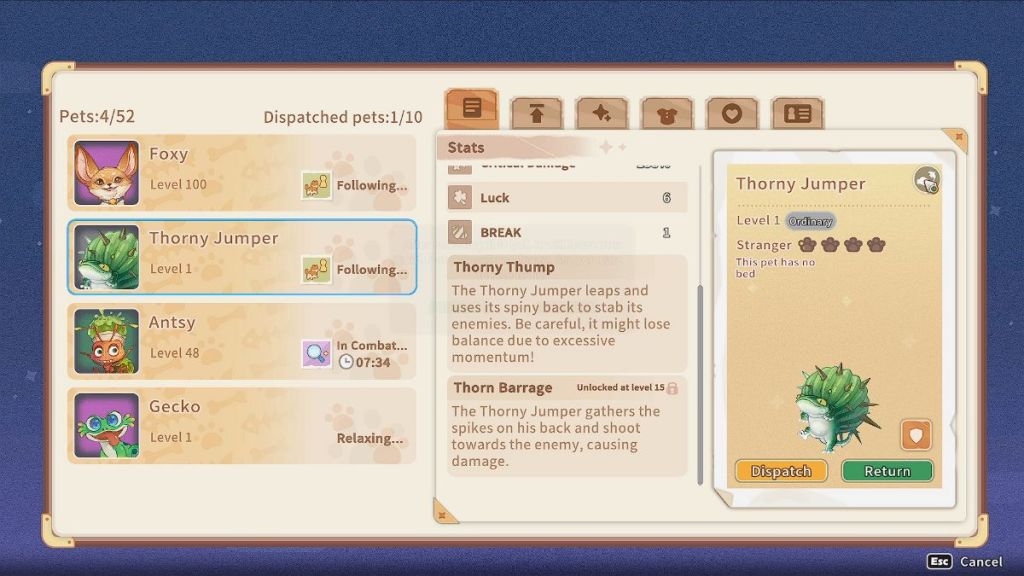
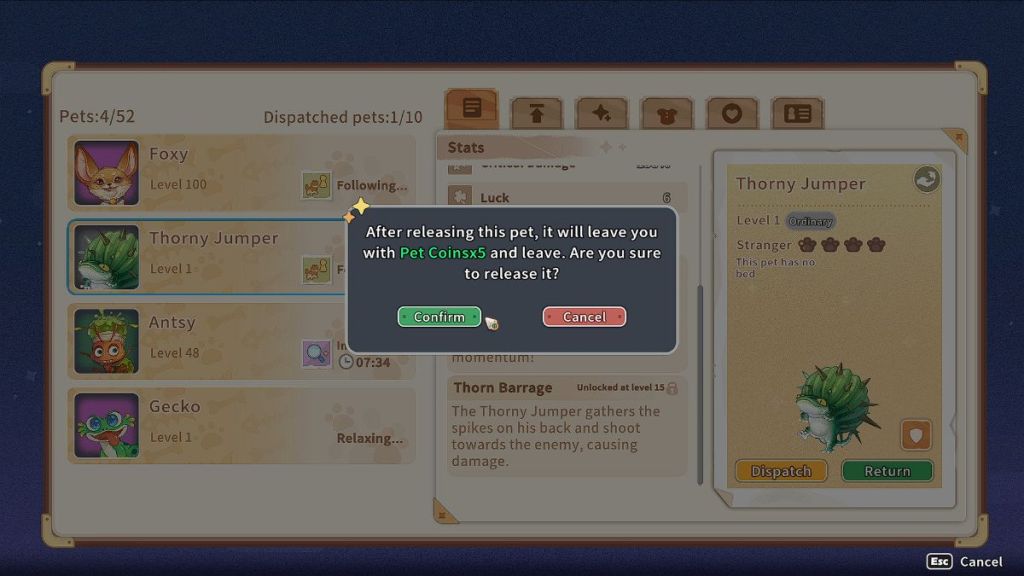
If you caught a monster, but can no longer keep it at home, follow these steps to release it in MTAS:
- Open the Pets menu by holding tab and choosing the light blue whistle to the left.
- On the stats page, look for a grey icon above their portrait and click it.
- Select Confirm in the confirmation menu.
Where is the Boutique Store in My Time at Sandrock: Monster Whisperer

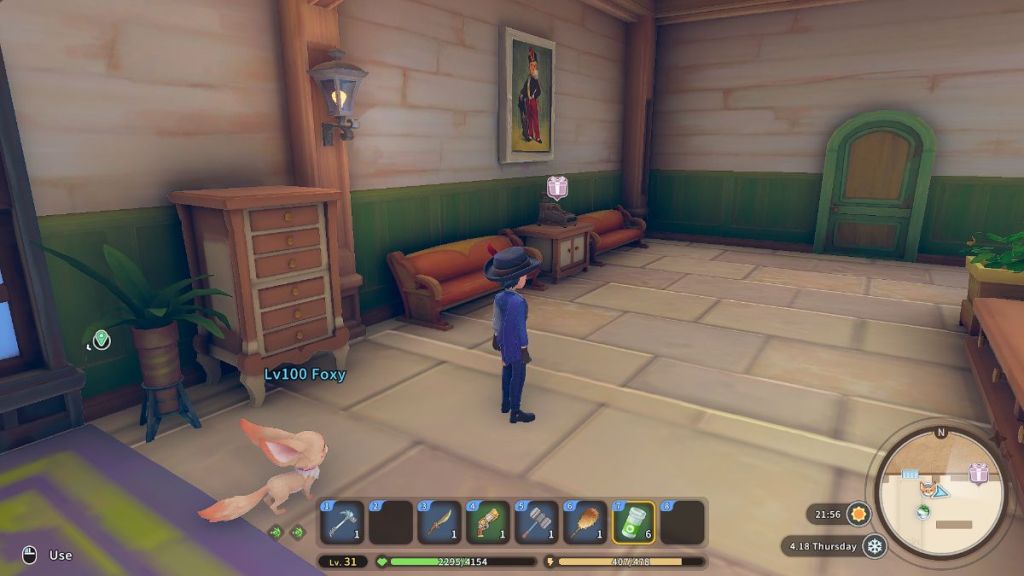
The Boutique Store is the place to go if you want to get any pet and monster-related items. You can find the Boutique Store inside the City Hall in Sandrock, right next to the door.
How to get more Pet Coins in My Time at Sandrock
The fastest way to get more Pet Coins is to purchase them in exchange for regular coins, or Gols, at the Boutique Store. You also get Pet Coins by releasing monsters.
How to Purchase Accessories for Pets in My Time at Sandrock
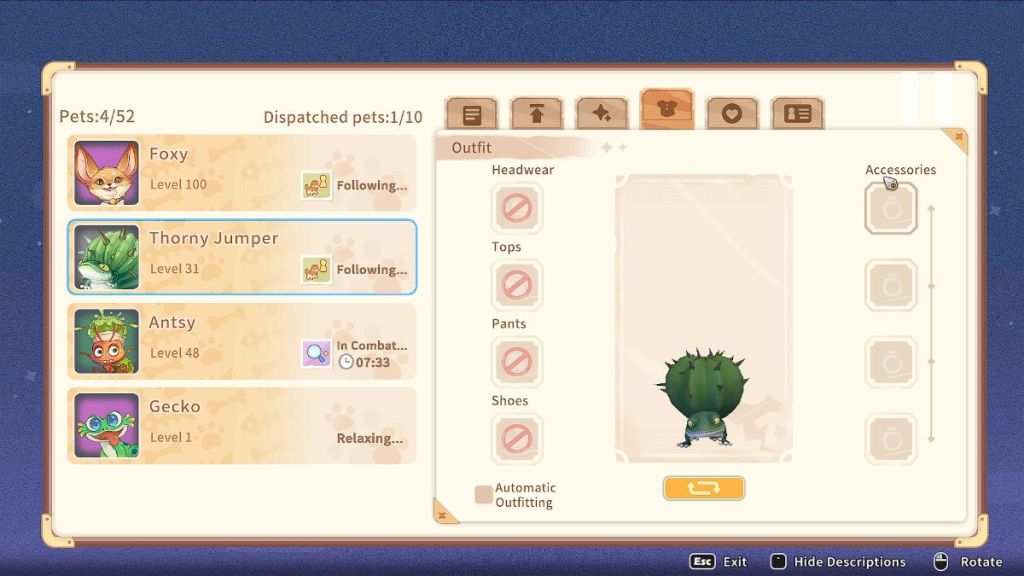
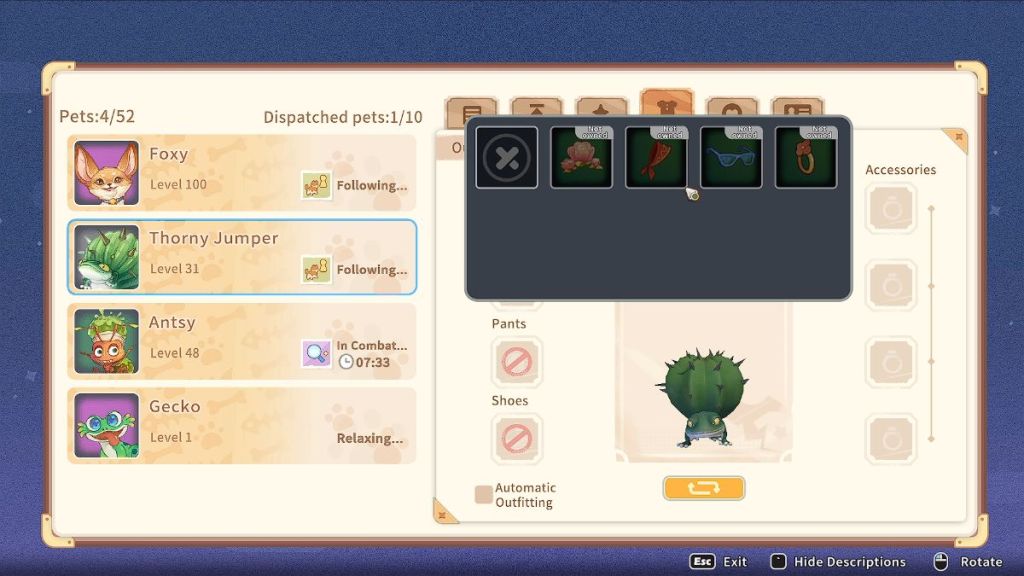
You can buy pet accessories from the Pet’s Outfit tab.
- Open the Pets menu by holding tab and clicking on the light blue whistle on the left.
- Then, select a pet and navigate the tabs on the right. The tab with the T-shirt icon is the Pet’s Outfit tab.
- Click on an empty slot for the accessories to open another subtab.
- Select the accessory you want to buy and click on Confirm to spend your coins on it.
How to Change the Color of Your Pets in My Time at Sandrock
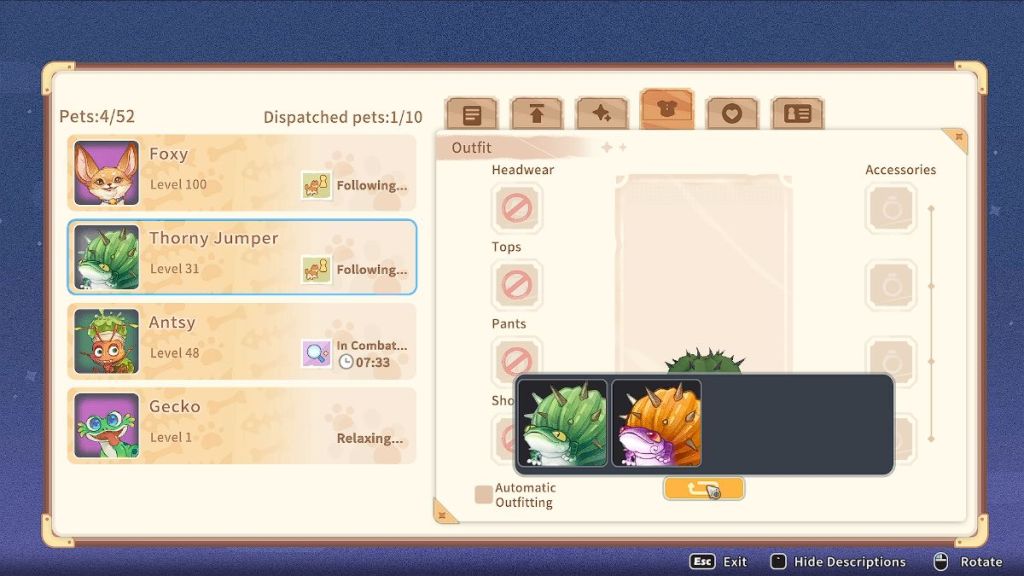
To change the color of your pets, enter the Outfit tab of your pet and click the orange button below the pet portrait. Keep in mind that this is only available when your relationship level is high enough, just like with townsfolk. This usually happens at level 40, when they become Familiar.
How to Upgrade Pet Relationship in My Time at Sandrock
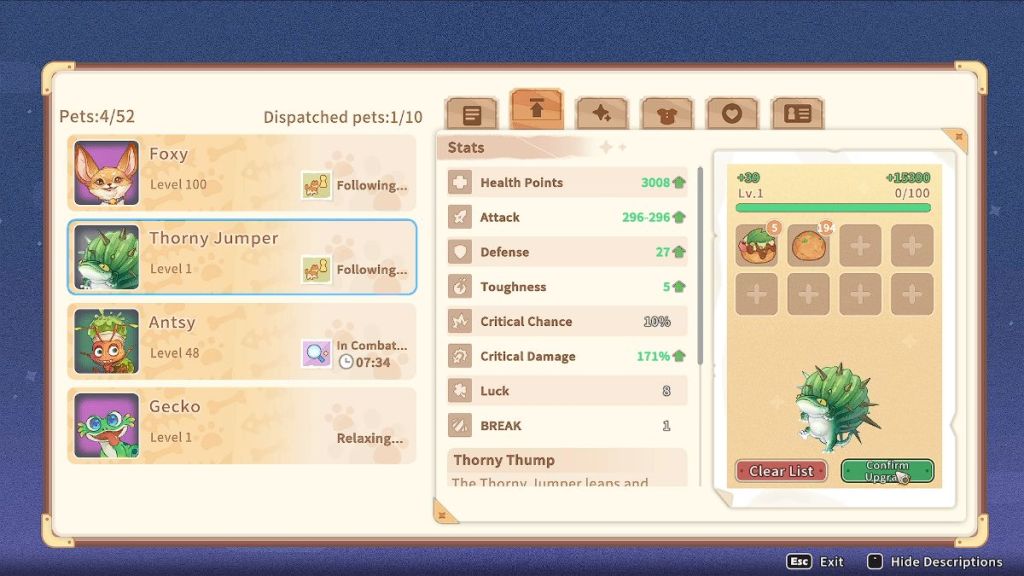
To upgrade your relationship, enter the Relationship tab on the Pet menu, which is the second one. Either manually add or auto-add food for your pet and then click Confirm Upgrade. You can repeat this process several times until you run out of food.
Pets eat Meatballs, which you can get in the Boutique Store, so be careful not to quick-add items carelessly.
How to Change the Name of a Pet in My Time at Sandrock
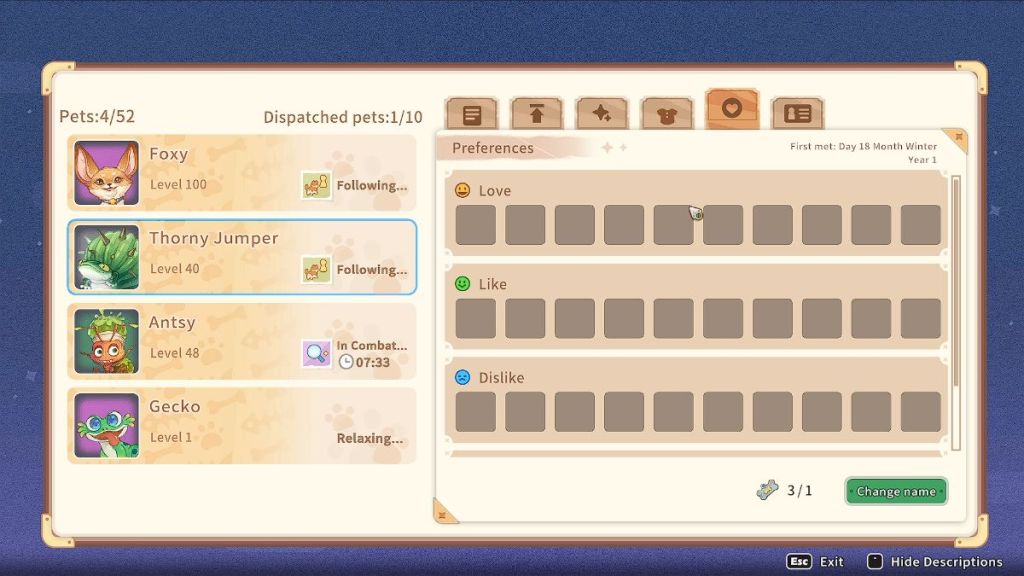

To change the name of your pet, enter the Pet menu and click on the tab with a heart. At the bottom right of the screen, there’s a button that says Change Name. Click it, type what you’d like your pet to be called, and click Confirm.
Changing the name of your pets consumes Pet Brands, which you can also purchase at the Boutique Store.
For more information about the My Time at Sandrock Monster Whisperer DLC, check out our breakdown of all content in the pack. You can also check out the new update for Moonstone Island if you need a change of pace.
About the Author

Discover more from Bonus Action
Subscribe to get the latest posts sent to your email.