Photo by Bonus Action
For the past year, my tablet of choice has been the XPPen Artist Ultra 16. It is a workhorse with a clean, crisp screen, incredible response, and OLED display that makes me weep tears of joy whenever I start painting. However, it isn’t the best travel companion. It’s a bit bulky, and the larger screen makes it difficult to fit into standard laptop bags. Luckily for those of us who like to draw on the go, XPPen has delivered the ultimate answer – the XPPen Artist Ultra 14.
The Artist Ultra 14 has almost everything that the 16 offers, but in an adorable, lightweight build perfect for on-the-go work. The 14″ screen fits seamlessly in most bags, and the slim design makes it both light to hold and easy to pack up. The OLED screen is bright, crisp, and clean with a stunning backlight that allows the OLED display to pop, all with the premium accessories and specs that professional models like the Artist Pro 27 Gen 2 also offer. It’s a professional-grade display that can fit right into your backpack.
Key Details
- Developer: XPPen
- Price: $699.99
- Size: 14 Inches
- Display Type: OLED
- Resolution: 2880 x 1800
- Stylus Sensitivity: 16384 levels
- Color Gamut Options: 99% Adobe RGB, 99% sRGB. 99% Display P3
- Touch Capable: Yes
- Wireless: No
- Initial Activation Force: 3g
- Sample Provided for Review: Yes
Setup And Accessories

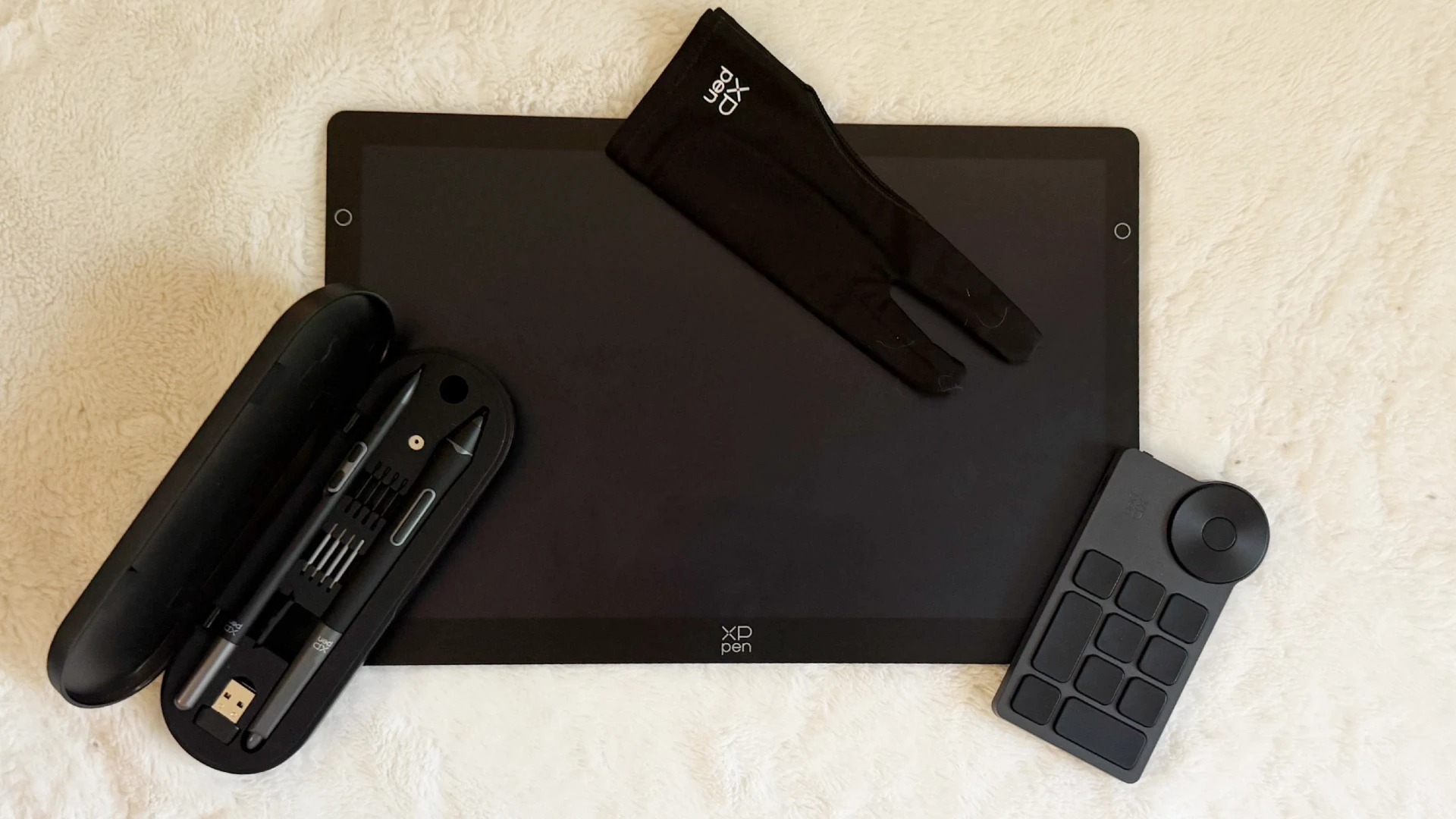
XPPen never leaves an artist hanging when it comes to the needed accessories to get started. The Artist Ultra 14 offers all the bells and whistles right out of the box, with a collection of drawing staples, cables, and quality-of-life options that make setup a breeze.
This drawing tablet comes with the X3 Pro Smart Chip stylus, the X3 Pro Slim Stylus, a case for both styli that includes additional nibs and a changing kit, a Bluetooth remote, a foldable stand, a premium drawing glove, a microfiber cleaning cloth, a three-in-one connection cable, and USB-C connection cables. This incredible spread of items may seem like a lot, but it ensures that you have everything you need to get going.

For me, setup was a bit more challenging than in the past, as I have just upgraded to a new laptop. I attempted the single cable setup with USB-C to tablet and computer, but discovered that my computer didn’t appreciate this at all. It created a feedback issue with my display, and the stylus was not properly reacting to input. This is not a flaw of the tablet, but a common problem with all-input cables, where the computer can’t sort out all the information through a single input.
Luckily for me, the three-in-one cable included in the box was exactly what I needed. While it is a bit bulkier as far as setup goes, it is nothing less than what I use with the Artist Ultra 16 or the Artist Pro 27 Gen 2. The only big downside is that the tablet does require outside power when the three-in-one cable is connected.
Once we were all hooked up, I adjusted my hotkeys in the XPPen app, and I was ready to get drawing.
Everything I Love About Pro Tablets In a Portable Package

Just like when I first powered on the Artist Ultra 16, the Artist Ultra 14 took my breath away when the stylus hit the screen. It’s hard to describe the giddy, incandescent joy that comes from a premium stylus on a top-quality screen. The bright display is responsive and lightweight. I was able to cradle it on my lap while snuggling my cat and still easily move around to draw without issue. I have been able to draw at my desk using the portable stand just as easily as I have been able to sketch on my sofa, and all with the same quality I have come to require from my bulkier workhorse drawing tablets.
However, with any thin-form drawing tablet, there is always a concern about screen damage. The Artist Ultra 14 doesn’t feel anywhere near as fragile as the original Wacom Movink, which was so paper-thin that putting force on it felt nerve-wracking and unstable. The Artist Ultra 14 definitely feels more fragile than the 16, but I’m not afraid to rest my hand on it, and it doesn’t feel unstable when set on the stand on my desk.
However, the one issue I did have was with the menu inputs on either side of the screen. These two little circular buttons offer immediate control over settings and PC setup. Unfortunately, I don’t think I like them very much. I kept bumping them when adjusting the tablet and accidentally opening menus. I rarely change things up in the settings when I am actively working, and I much prefer these to be pressable buttons at the top of the tablet over touch buttons on the sides of the screen. Also, my cat was able to open the menu with his nose, which, while funny, interrupts my workflow.
The biggest and most important feature for this little tablet is the X-Touch. XPPen makes a fantastic touch tablet, and the ability to tap-delete or adjust the canvas at any time is intuitive and incredible. Typically, smaller tablets choke or jitter with touch controls, but the Artist Ultra 14 is smooth, and I quickly fell into the sort of workflow I am used to when working on the Artist Pro 27 Gen 2.
Creative Workflow With No Interruptions
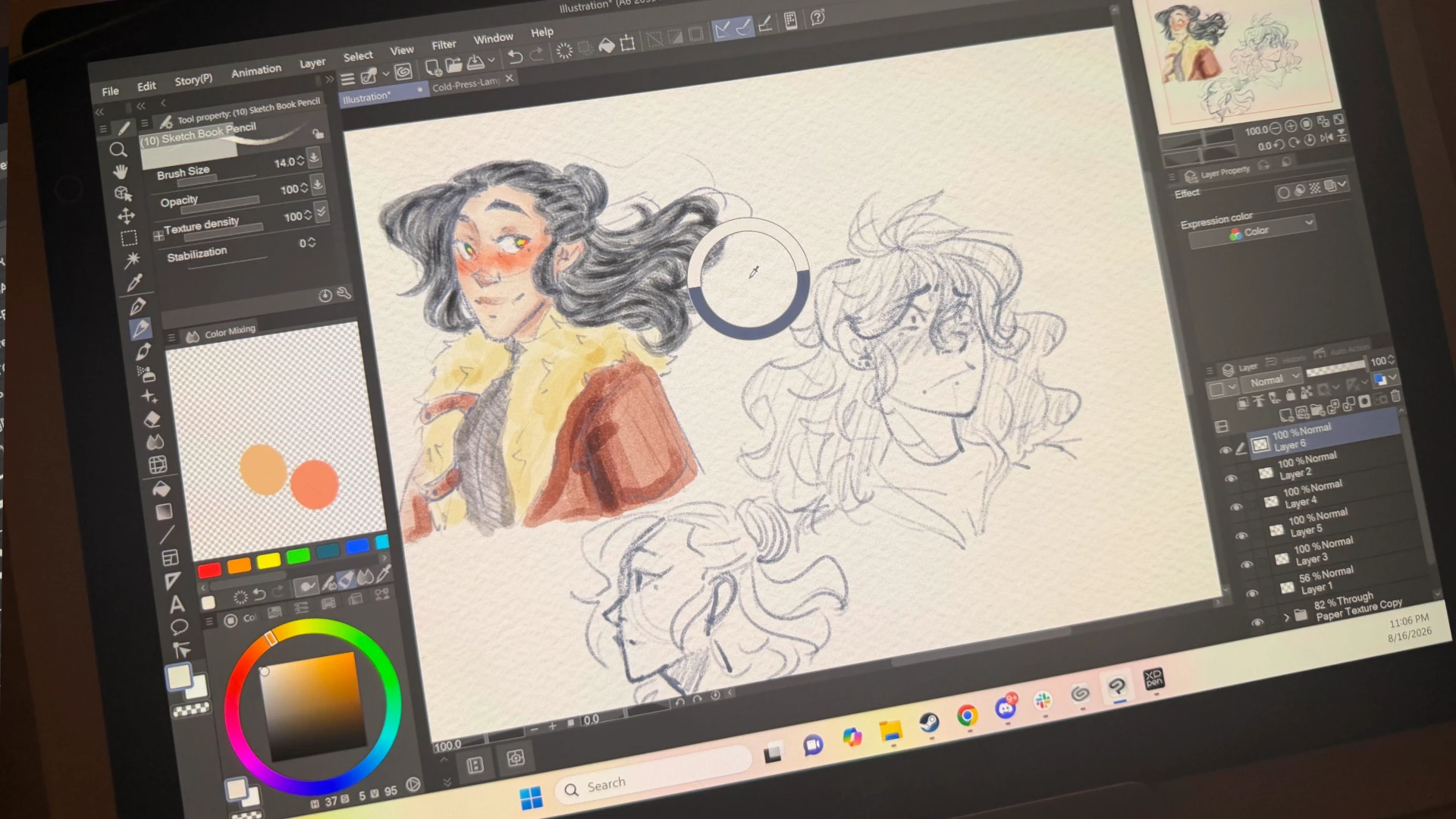
Drawing on the Artist Ultra 14 is a dream. While I typically struggle with smaller tablets due to the screen size, the thin bezel and responsive screen help minimize the space restriction issues I typically battle with. I was able to turn the tablet in any direction to get just the right angle, and setting down colors on the OLED screen felt like an indulgent treat.
There is nothing more rewarding than feeling like you have your entire professional studio on your sofa or at a cafe. I want for nothing while I am working on the Artist Ultra 14, and get to revel in the incredible portability while still maintaining access to workflow standards that are critical to my drawing process.
This is the tablet I wish I’d had when I was in school and taking illustration classes, and it is going to be a core part of my workflow moving forward. All-in-one tablets still struggle to deliver an entire studio experience due to app limitations and battery life struggles, but the Artist Ultra 14 is the most portable professional tablet I’ve worked on that offers a full PC-program suite of tools. No sacrifice, no compromises, just workflow at its finest.
Final Score – 9/10
XPPen has done it again, delivering a premium drawing tablet in the Artist Ultra 14 that covers every key detail an artist could want. For the price, the access to a quality, portable OLED display with all the accessories needed to use it directly out of the box is incredible. It is a great option for professional artists who want more movement, or art students looking for a drawing tablet with all the key features for more advanced projects.
This is also the tablet for artists who want almost everything the Artist Ultra 16 or Artist Pro 27 Gen 2 can do in a smaller package. If you don’t have room for a behemoth right now, the Artist Ultra 14 provides almost everything these bigger workhorses can do in a pocket-sized footprint. It’s an incredible piece of hardware, and one that any artist would thrive on if they added it to their studio.
**Bonus Action was provided with a sample of the XPPen Artist Ultra 14 drawing display for the purpose of this review**
Still here? Good.
That means the article did its job! If you’d like to see more of them (and get first crack at what’s next) our Patreon’s the place.
About the Author

Discover more from Bonus Action
Subscribe to get the latest posts sent to your email.