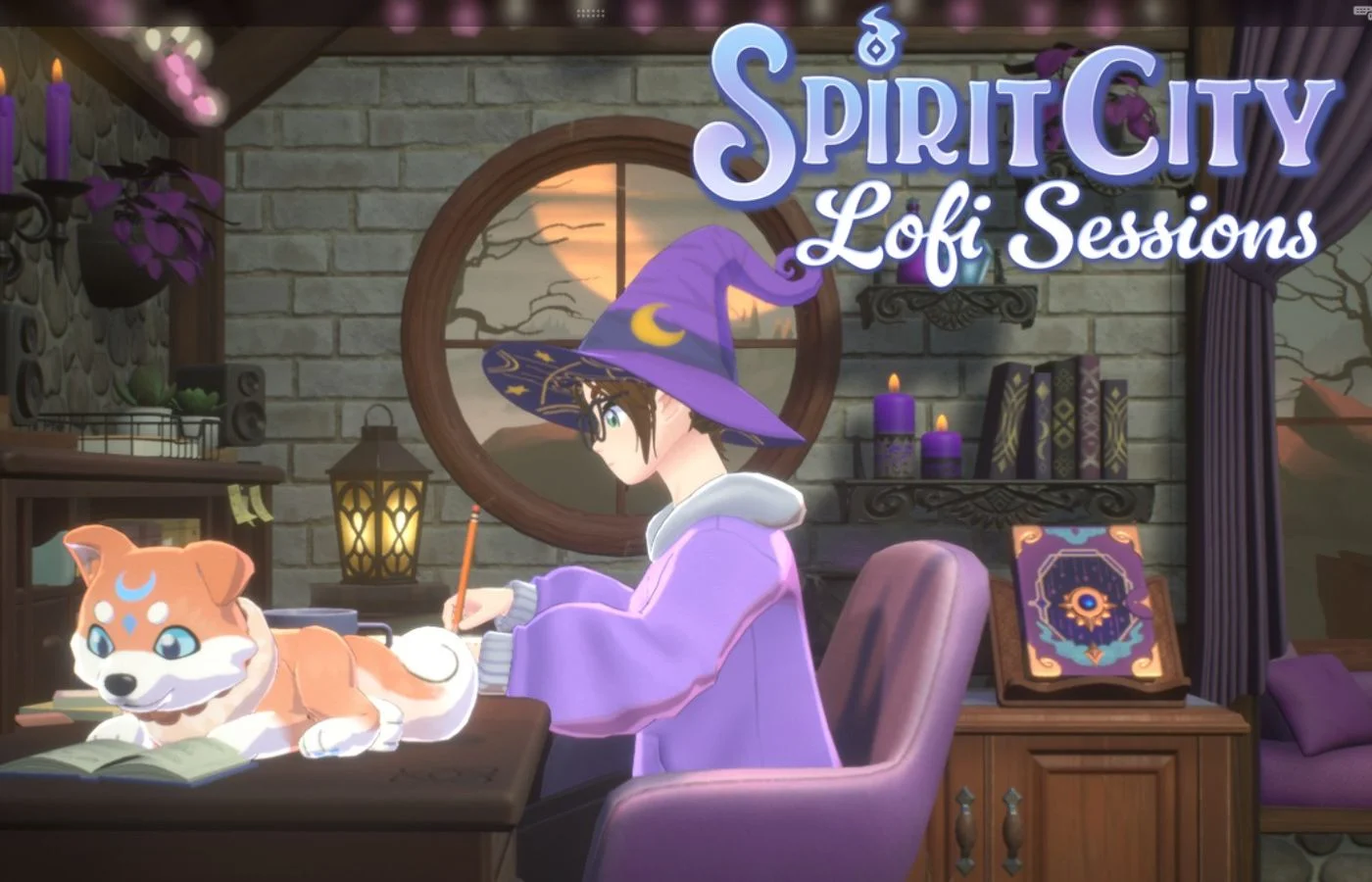
Screenshot by Bonus Action
Ever since its release in 2024, Spirit City: Lofi Sessions has become a go-to casual cozy game for many. It is part productivity app, part creature-collector, and 100% delightful. The game lets you create a custom avatar, then cultivate your ideal cozy space. Then, you set up your ideal coworking situation, with various lo-fi tracks, ambient sounds, and activities to choose from. As you work, you’ll attract different adorable Spirits to fill your Dex.
Spirit City is a delightfully chill idle game and a solid productivity tool. It has become one of my favorite games to set up in the background to keep me focused during the day. Here at Bonus Action, we’ve been covering the game since it launched. And with plenty of Spirit Guides and DLC, it’s about time we put together a guide hub to help answer all of your Spirit City: Lofi Sessions questions. In this main guide, you’ll find basic details and links to all of our in-depth Spirit guides to help you fill your Spirit Dex.
Table of Contents
- All Spirit City DLC Spirit Dex Guides
- Spirit City: Lofi Sessions Basic Gameplay Overview
- What Platforms is Spirit City On?
- All Expansions for Spirit City: Lofi Sessions
- How Many Spirits Are in Spirit City: Lofi Sessions?
- How To Tell You’re On the Right Track to Lure a Spirit in Spirit City
- How to Find All Base Game Spirits in Spirit City: Lofi Sessions
All Spirit City DLC Spirit Dex Guides
- Cozy Kitchen DLC Spirit Guide
- All Aboard! DLC Spirit Guide
- Enchanted Garden DLC Spirit Guide
- Magical Library DLC Spirit Guide
Spirit City: Lofi Sessions Basic Gameplay Overview
Spirit City is largely an idle game and productivity tool with light gaming elements. Opening the game brings you to a cozy space where you can set up your avatar as a coworking buddy, performing a variety of activities in the area of your choosing. It also features in-game lo-fi music and ambient sounds that you can use to set up your ideal productivity background noise.
The gaming element of Spirit City comes via its Spirits. These are cute little creatures that you collect by setting up the right environment to draw them out of hiding. You can track your Spirits in the SpiritDex to see which ones you still need to find. Once you’ve added a Spirit to your dex, you can set them as your in-game companion.
What Platforms is Spirit City On?

Currently, Spirit City: Lofi Sessions is only available for PC and Mac via Steam. The base game costs $11.99.
Mooncube has hinted it might consider a Nintendo Switch edition at some point, but the game is currently not available on any consoles.
All Expansions for Spirit City: Lofi Sessions
Spirit City: Lofi Sessions gets fairly regular free updates, with new avatar items and Spirits for all players to enjoy. But Mooncube has also launched several paid DLC expansions that add new areas and Spirits to the game. Currently, these are the DLC you can get for Spirit City, for the price of $7.99 each.
- Cozy Kitchen DLC (released March 2025) – adds a kitchen area and related activities & Spirits
- All Aboard! DLC (released August 2025) – adds a train area with related activities & Spirits
- Enchanted Garden DLC (released March 2026) – adds an outdoor garden area with related activities & Spirits
- Magical Library DLC (released August 2026) – adds an arcane library sanctuary with related activities & Spirits
All DLC are available to purchase via Steam. You can also get a couple of “support packs” with cosmetic items only, including the Winter Spirit pack and original Supporter Packs.
How Many Spirits Are in Spirit City: Lofi Sessions?

As of April 2026, the base game has 26 Spirits. Each DLC also adds new Spirits and Variants, as below:
- Cozy Kitchen – 12 Spirits
- All Aboard! – 11 Spirits
- Enchanted Garden – 13 Spirits
- Magical Library – 13 Spirits
With all DLC, there are a total of 75 Spirits in the game to date. More will likely be added with new free updates and potential future DLC.
How To Tell You’re On the Right Track to Lure a Spirit in Spirit City
If you’re trying to get every Spirit in Spirit City, you’ll need to set up the perfect conditions to lure each and every one. Thankfully, the game gives you a helpful hint so you know that you’ve read those Spiritdex hints correctly.
To lure a Spirit, you can read the Spiritdex for hints about which activities, sounds, and locations will attract it. When you’re on the right track, you’ll see a glowing purple ring circling the Spiritdex icon.
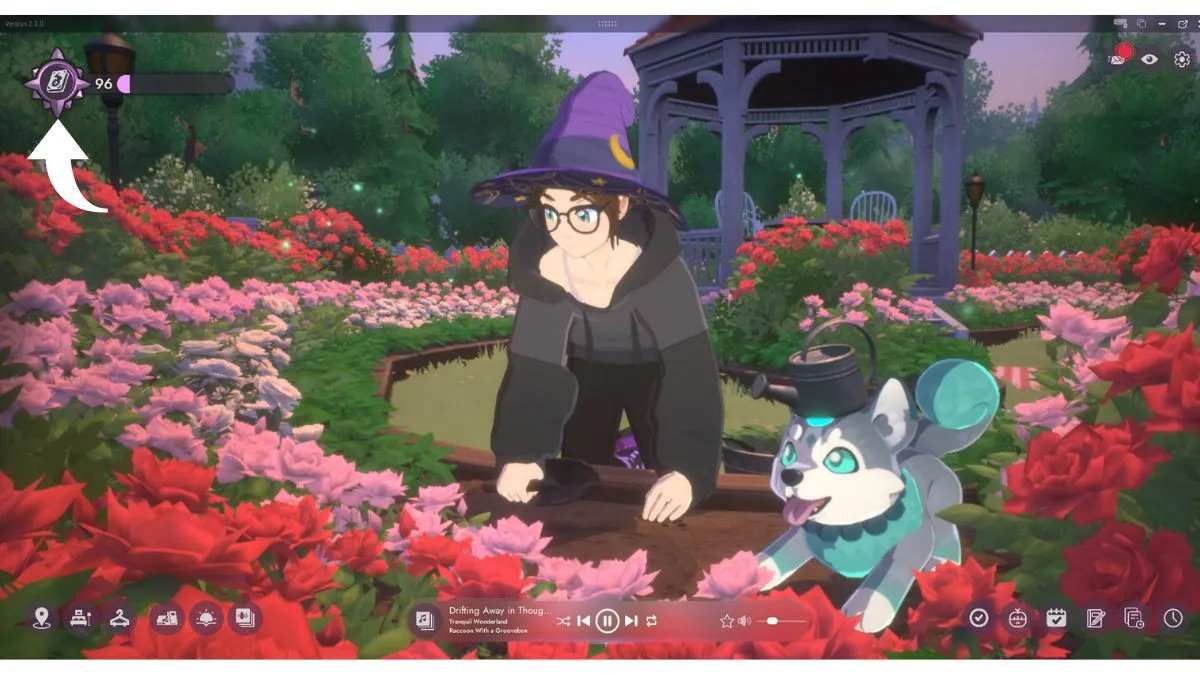
That means a Spirit is currently being lured. Sometimes, this can take a while, but if you’ve got the glowing light, you’re on the right track!
Once the Spirit has arrived, a red dot will appear on the Spiritdex icon. Click on it to meet the new Spirit and officially add them to your game. Once you do, you can set them as your new in-game buddy!
How to Find All Base Game Spirits in Spirit City: Lofi Sessions
Below is our full Spirit Dex guide for base game spirits in Spirit City as of the most recent free update on May 25th, 2026. The Spirits are listed in alphabetical order to make it easy to find the one(s) you’re missing.
APE-Bit
| Hint | What it Means |
|---|---|
| A mysterious glitch has been showing up in every game I play. I can’t find info on any online message boards about it | Set “Activity” to Gaming. Should work in any area of the base game. |
Arachknit
| Hint | What it Means |
|---|---|
| As the light gets low, I seem to keep stepping on bits of loose knitting yarn scattered about. | Set “Activity” to Knitting by the Fireplace |
Bobapole
| Hint | What it Means |
|---|---|
| I heard of a Spirit that loves boba tea. It’s a great pick-me-up when my energy gets low from typing all day! | Set “Activity” to Typing in the Desk area Set Lighting to Evening. |
Bloomscale
| Hint | What it Means |
|---|---|
| While the sun is out, every time I tidy the floor near the window, I notice soil-covered footprints appearing a few moments later. | Set Lighting to any setting except for Night. Set “Activity” to Cleaning in the Bay Window area. |
Bulbee
| Hint | What it Means |
|---|---|
| During lightning storms, I’ve noticed the lights flicker in strange patterns | Turn on “Rumbling Thunder” in the “Sounds” menu |
Catsudon
| Hint | What it Means |
|---|---|
| During my after-dinner stretches, I’ve felt the presence of a curious Spirit. | Set Lighting to Evening Set “Activity” to Stretching in the Bay Window area. |
Chapterpillar
| Hint | What it Means |
|---|---|
| Whenever I’m reading, I’ve felt the presence of something over my shoulder. | Set “Activity” to Reading. This should work in any location in the base game bedroom area. |
Crewmate (Among Us Collab)
| Hint | What it Means |
|---|---|
| In the vast emptiness of space, a game of intrigue is played. | Set “Activity” to Gaming Set Lighting to Morning |
Deermuff
| Hint | What it Means |
|---|---|
| This Spirit loves playing by the fireplace while the snow is falling | Set “Activity” to “Playing” by the Fireplace Turn on “Gentle Snowstorm” in the “Sounds” menu |
Drizzlefin
| Hint | What it Means |
|---|---|
| I heard an old tale about a teary-eyed spirit… “When the sky weeps and stars come out to play, you might find them among the droplets.” | Set Lighting to Night Turn on “Smooth Rain” in the “Sounds” menu |
Dust Bunny
| Hint | What It Means |
|---|---|
| I’ve heard strange noises under my bed at night. I wonder what it could be. | Set “Activity” to any Bed option. Set Lighting to Night. |
Earlybirb
| Hint | What It Means |
|---|---|
| The past few mornings I’ve been awoken by a curious chirping noise. | Set Lighting to Morning. Turn on “Birds Singing” in the “Sounds” menu. |
Flutterfrog
| Hint | What it Means |
|---|---|
| As I start my day in quiet meditation, sometimes I can sense another presence eyeing me curiously. | Set “Activity” to “Meditating” Set Lighting to Morning. |
Goopii
| Hint | What It Means |
|---|---|
| My desk has been strangely clean lately. I may even be missing some supplies. | Set “Activity” to one of the Desk options. |
Hamstereo
| Hint | What It Means |
|---|---|
| My vinyl player has been acting up lately, skipping beats whenever I’m nearby. | Set Activity to one of the Fireplace options Turn on “Soft Vinyl” in the “Sounds” menu |
Hedgelog
| Hint | What It Means |
|---|---|
| My room has been extra hot lately. I wonder if there’s something up with my fireplace…? | Set Activity to one of the Fireplace options. Turn on “Cozy Fireplace” in the “Sounds” menu. |
Hexwing
| Hint | What it Means |
|---|---|
| During cool autumn nights, something can be seen stalking the skies. The sounds of other nocturnal creatures herald its arrival. | Set Lightning to Night. Turn on “Night Forest” in the “Sounds” menu |
Inkster
| Hint | What it Means |
|---|---|
| I heard of a Spirit that can help me overcome my writer’s block. | Set “Activity” to “Writing” at the Desk or Fireplace |
Kettlebrew
| Hint | What it Means |
|---|---|
| Rumors abound of a Spirit that welcomes the day with a cup of tea by the fire. | Set “Activity” to “Sipping” at the Fireplace Set Lighting to Morning |
Lenny
Lenny is something of a Spirit City mascot, and this companion will be unlocked by default when you start the game. No luring needed.
Moonpaw
| Hint | What it Means |
|---|---|
| On windy nights, it almost sounds like something is howling at the moon | Set Lighting to Night. Turn on “Soothing Wind” in the “Sounds” menu |
Pocky (Lofi Girl Collab)
| Hint | What it Means |
|---|---|
| When I am at my desk, I sometimes feel a presence settle into the warmth of the late-day sun streaming through the window, silently observing the words that slowly take shape in my journal. | Set “Activity” to Writing at the Desk area. Set Lighting to Evening |
Sunquill
| Hint | What it Means |
|---|---|
| There’s an enchanting song coming from the forest as the sun sets. | Set Lighting to Evening. Turn on “Night Forest” in the “Sounds” menu |
Trashnuki
| Hint | What it Means |
|---|---|
| This hungry Spirit can be lured out by the sound of cooking around lunchtime. | Set Lighting to Afternoon. Turn on “Tasty Sizzling” in the “Sounds” menu |
Twintail
| Hint | What it Means |
|---|---|
| It was hard to make out, but I swear I saw something through the snowstorm… | Turn on “Gentle Snowstorm” in the “Sounds” menu. |
Vootodoo
| Hint | What it Means |
|---|---|
| This Spirit haunts those who spend too much time procrastinating in bed. | Choose a relaxing activity like “Gaming” or “Browsing” while in the Bed area |
Waxolotl
| Hint | What it Means |
|---|---|
| What’s that smell on the afternoon breeze, almost like a candle burning? | Set Lighting to Afternoon Turn on “Soothing Wind” in the “Sounds” menu |
Looking for more cozy gaming guides? Check out our walkthrough for Cozy Caravan.
Still here? Good.
That means the article did its job! If you’d like to see more of them (and get first crack at what’s next) our Patreon’s the place.
About the Author

Discover more from Bonus Action
Subscribe to get the latest posts sent to your email.