Photo by Bonus Action
I have tried a great many portable gaming controllers over the past few years, with the Razer KISHI V2 Pro holding the blue ribbon for best in show. While the controllers have made diving into mobile Stardew Valley much less frustrating, they have all come at a fairly large cost – portability. It has always driven me crazy that the freedom of mobile gaming is hampered by the requirement to lug around a fairly large mobile controller if I don’t want to fight the touchscreen analog stick to move around. Razer has tackled this issue with its most recent mobile accessory, the Prio controller.
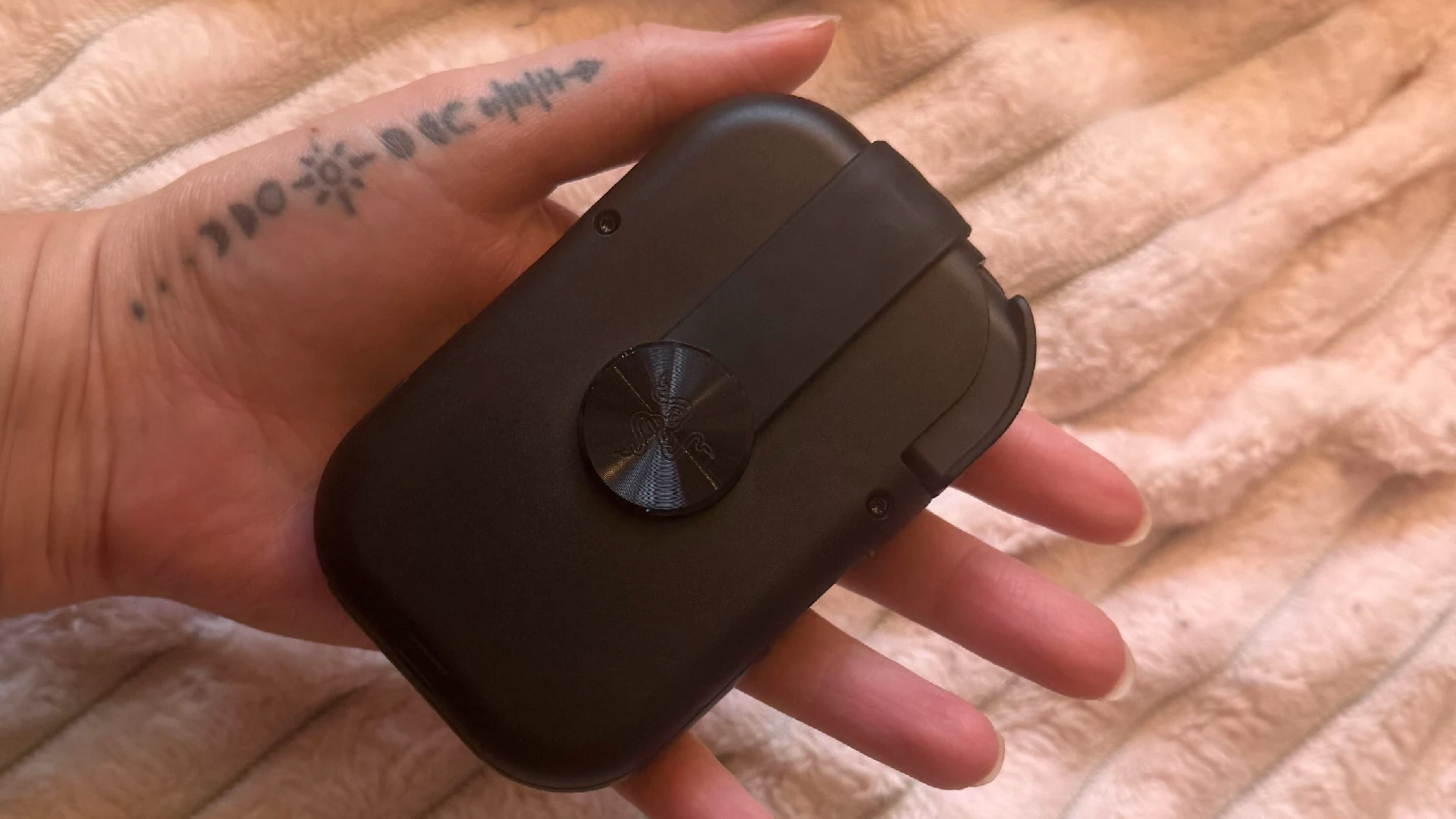
The Razer Prio is adorable. It folds up into a square about the size and depth of a standard wallet, and can easily fit in a pocket, bag, or purse. The controller offers the standard array, with a D-Pad, two analog sticks, face buttons, bumpers, and triggers. This is perfect for most mobile games and provides a complete controller interface for those diving into more hefty mobile ports.
However, to keep the Prio pocket-sized, a few choices were made that might not fit every gamer. The interface profile is set deeply into the controller, and the folding mechanics can be a bit of a learning curve to pick up. Despite this, the ability to play anywhere with minimal baggage is a big perk, especially for gamers who don’t like to haul a full accessory kit with them while on the go.
Key Details
- Developer: Razer
- Compatibility: iPhone and Android
- Connection Type: USB-C
- Battery: None
- Button and Analog Customization: No
- Size Adjustment Capable: Yes
- Price: $99.99
- Review Sample Provided: Yes
Adjustable Sizing Makes Phone Fitting a Breeze

Right from the start, one of the things that impressed me about the Razer Prio was the size options. I have an iPhone 17 Max Pro, and it is a bulky, hefty mobile device. I’ve had a hard time fitting it with controllers, as they typically don’t stretch far enough or sit properly for a good connection.
The Prio includes a selection of silicone spacers that can be exchanged to create the best fit possible. I will note, however, that I wasn’t able to use the controller while my phone case was on. This, for me, is a bit anxiety-inducing. I have a habit of accidentally flinging my phone into the abyss, and I don’t care to take it from its case. I also find removing my phone case while traveling to be a bit awkward, because I have to find a place to put it while using the controller. This can be a bit stressful while riding the train or sitting in a public location.
Despite this, the spaces for the iPhone Max keep the phone securely in place, and I never ran into issues with slipping or popping while I was gaming.
A Flat Interface Is a Learning Curve
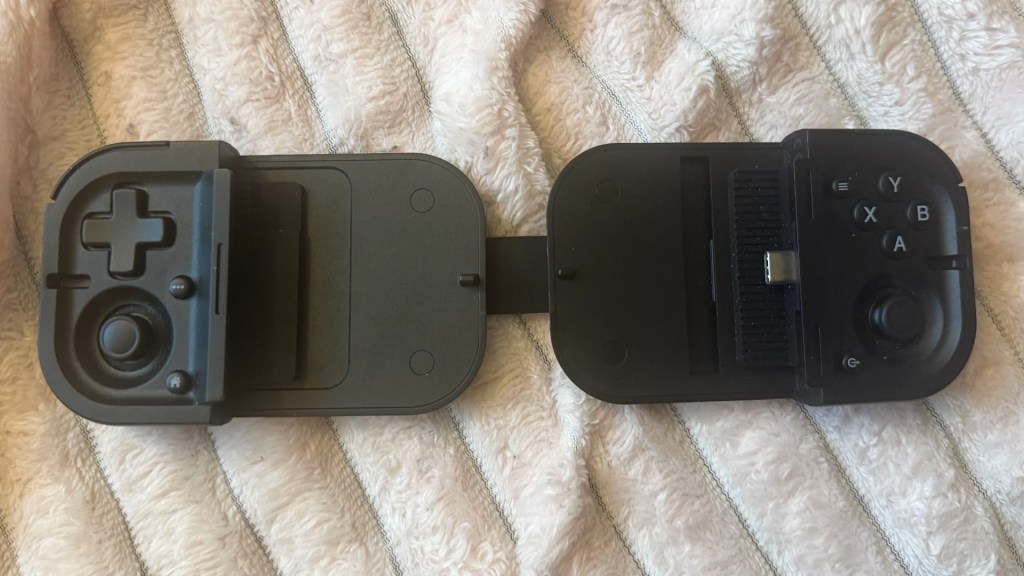
When using the Razer Prio, one of the things that I had to get used to was the low button profiles. The Prio buttons are built into the faceplate of the controller so that they don’t get pressed or bumped while the controller is folded. The faceplate dips down, giving the button locations a hollow to sit inside.
The buttons themselves feel incredible. The interface buttons snap nicely, the analogs are responsive and accurate, and the bumpers and triggers are reliable and feel professional both in build quality and actuation. Unfortunately, I have struggled to get used to how low they are set, and I don’t particularly like that I can feel the bezel of the faceplate dip while shifting between buttons.
For those who really love a low profile, this could be your dream mobile controller. If you are like me and love tall keys and set your analog sticks as high as they can go on enthusiast controllers, the Prio can feel a bit uncomfortable, and after weeks of testing, I can’t say that I have been able to move past it.
Phone Yoga That Takes Practice
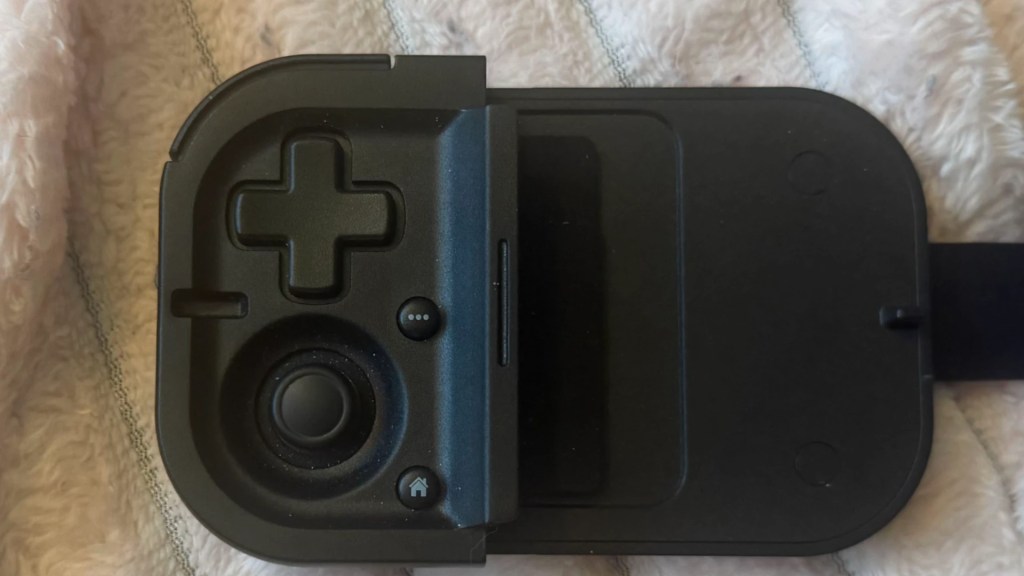
The Prio is designed to fold up and fit in your pocket, but to do this, you will need to do a bit of phone yoga. Even after plenty of practice, I regularly find myself struggling to both open and close the Prio. It’s hilarious, especially to other people sitting beside you on the train as you try to frantically close the controller before your stop.
The Pro releases via a pressure point on the lid. It pushes on this spot, and the two halves of the device separate. You can then rotate them into position and settle your phone into position. To close the Prio, you must turn the right wing of the controller upside down, and then place it over the left, lining up the internal clasp before sliding it into the locked position.
More than once, it has popped back open like a frog attempting to jump from my hands. It is imperative that you slide the lock properly into place before you try to stick it into your pocket, so it doesn’t separate and escape at a critical moment.
Final Score – 7/10
Overall, the Razer Prio is a revolutionary mobile controller that provides everything needed for on-the-go gaming with a pocket-sized footprint. The buttons are responsive and feel great while in use, and as long as the low profile of the keys isn’t a problem, the Prio elevates mobile gaming in a way other controllers have not yet been able to.
However, the controller yoga, odd ergonomics, and awkward bezel are all things to consider when looking at the Prio. It is an excellent choice for gamers who like sleek designs and portability, but it might not be the best option if you like high-profile keys and interface customization.
The Razer Prio is a beautiful device, and I am eager and hopeful that a Pro or V2 with more button options could come in the future, giving everyone the best of portability and ergonomics for mobile gaming.
**Bonus Action was provided with a sample of the Razer Prio Gaming Controller for the purpose of this review**
Still here? Good.
That means the article did its job! If you’d like to see more of them (and get first crack at what’s next) our Patreon’s the place.
About the Author

Discover more from Bonus Action
Subscribe to get the latest posts sent to your email.