Photo by Bonus Action
Fans of RGB and top-tier customizability finally have the perfect option for their Xbox and PC gaming experiences. The PowerA Fusion Pro Wireless Controller marries a slew of premium features with one of the most beautiful RGB displays currently available on any controller.
Until recently, I was certain no controller option out there was going to outclass the RGB of the FUNLAB controllers currently available for multiple systems. PowerA, however, has taken their Lumectra from a simple accent to the whole show, creating a stunning pro controller every dedicated gamer needs.
Key Details
- Developer: PowerA
- Console: Xbox and PC
- Where to Buy: PowerA Website
- Price: $149.99
Almost Everything For a Premium Price
The PowerA Fusion Pro Wireless controller if an Xbox-designed controller. This means fans of the PS5 DualSense and Nintendo Switch layouts will need to be flexible if they pick this controller up for PC gaming.
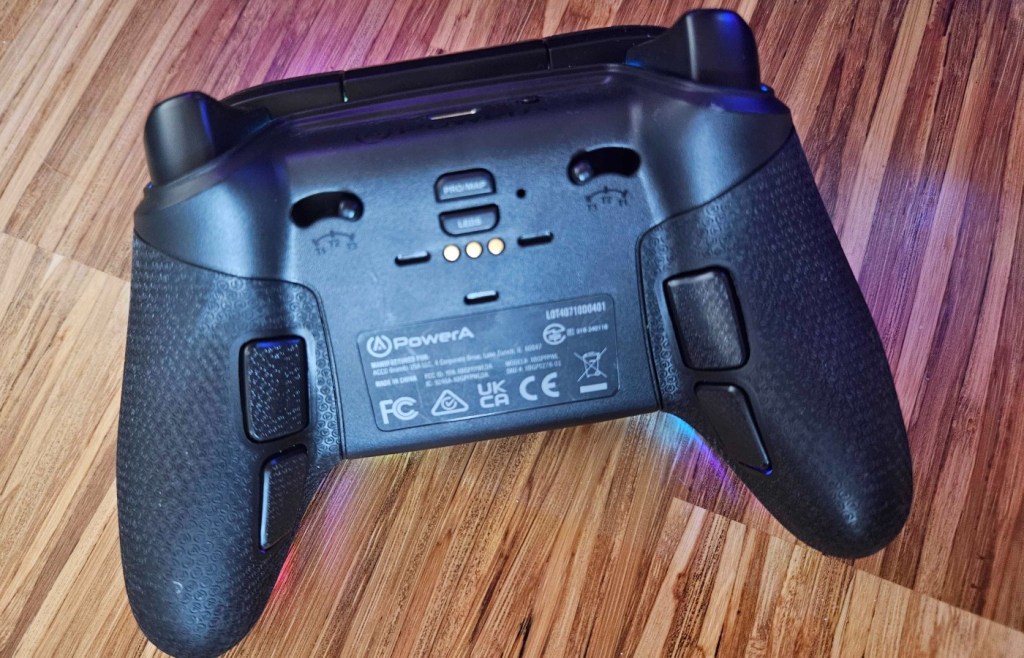
That being said, this Pro controller spars nothing in design. Trigger locks allow the adjustment of press sensitivity, while four programmable buttons can be used to customize game controls. An audio jack can be found on the front of the controller directly under a dial that controls both the volume and activity of the headset mic while playing.
Additionally, this controller sports the three-setting twistable analog sticks. These settings allow players to choose how high the thumb rests for the sticks sit, optimizing comfort for long play sessions.
This controller is hefty, with a premium feel accentuated by the no-slip grip textures on the back of the grips. The only thing missing is the mechanical buttons of the OPS V3 Pro, which is still my go-to favorite controller for a tactile controller option.
RGB Bright as the Sun

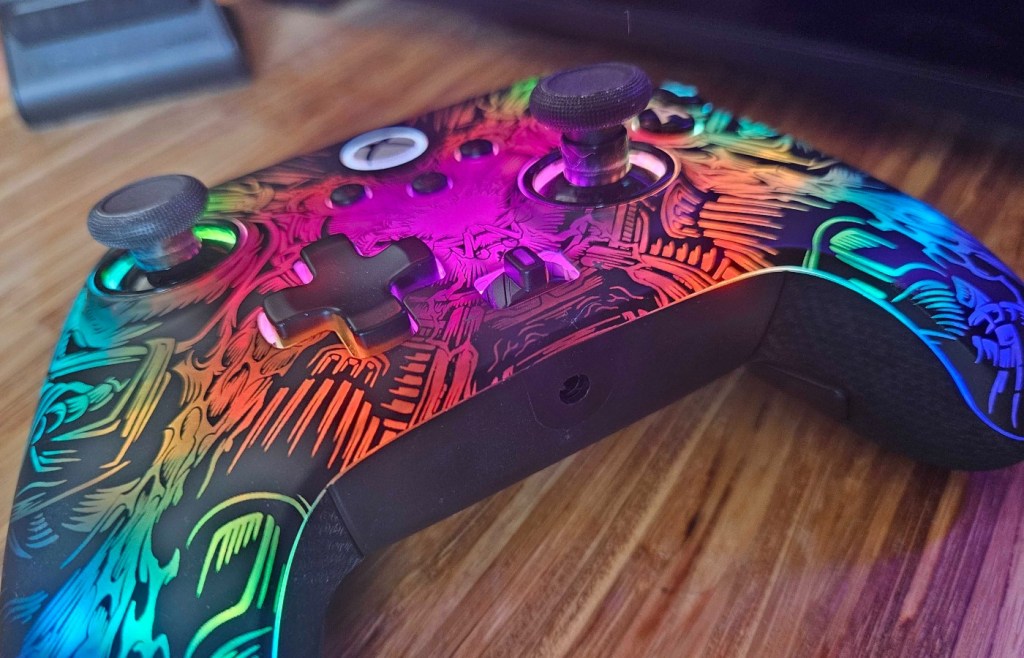
Now, I am an absolute sucker for form that also manages to hit the checkbox for aesthetics. As mentioned in my previous reviews for PowerA that involve the Lumectra, the programmable RGB has often felt like an afterthought. The ribbon of light that runs the faceplate of other Pro options is minimal and not the most enjoyable thing to program.
Now, this is where the PowerA Fusion Pro Wireless controller steals the show. This premium accessory utilizes “Ghost” RGB Lighting. When unboxing it, the controller looks like a sleek, black device similar to other PowerA options. However, when powered up, the faceplate comes alive, bursting with brilliant, show-stopping color.
This is, without a doubt, the most beautiful RGB controller I have seen to date. The color is extremely bright, with every tone coming through perfectly. While it still isn’t the easiest to program, I honestly love the out-of-the-box gentle pulse that ripples color across the grips as you play on PC or Xbox.
I absolutely love this choice from PowerA, and I am extremely eager to see how they continue their use of Lumectra lighting in future controllers. This is the stunning eye-grabber I want when I am looking at RGB, and the fact that I get this color and the function of the pro customizability make it a league above other options on the market.
A Desk Display Dock and a High Price Tag
PowerA really out-did their add-ons with the Fusion Pro Wireless. The controller comes out of the box with a magnetic, wireless charging station that also works as a display stand.
I currently have this stand set up on my desk, and when docked, the controller’s RGB can be activated. This looks unbelievable next to my RGB PC tower, creating a flow of bright color that matches perfectly with the rest of my desk.
Despite all of these features, we do have to talk about the elephant in the room when it comes to this controller. The Fusion Pro Wireless for Xbox and PC is an eye-watering $149.99. This is fifty dollars higher than the OPS V3 Pro, which also offers Lumectra accents but has those amazing, tactile buttons that elevate a gaming experience.
In the case of the fusion, I would say it does feel like we are paying for the Ghost RGB. However, it is important to note that most wireless Pro controller options for Xbox do range between $150-250, making this a reasonable option for those looking for a console option. However, if you are going for a PC-specific controller, opting for the OPS V3 over the Fusion isn’t a bad way to go.
Unless you just really want that Ghost RGB, to which I say, I honestly can’t blame you. I’d certainly pay the extra fifty dollars for the way this controller looks. It’s absolutely stunning.
Final Score – 8.5
The PowerA Fusion Pro Wireless controller is the most beautiful RGB option on the market at this time for PC and Xbox. The Ghost RGB can’t be matched. Despite this, the controller isn’t for a casual gamer and is quite a bit more expensive than other options that offer more in the way of options and customizations.
This is an excellent option for pro and dedicated gamers using PC and Xbox, especially as the Xbox X|S use will help soften the price point. Those who choose to pick it up will have a durable, premium controller that will look lovely both in use and on its dock while idle.
If you are looking for something for when you are on the go, you can check out our thoughts on the ModRetro’s Chromatic handheld.
**Bonus Action was provided a sample of the PowerA Fusion Pro Wireless controller for the purpose of this review**
About the Author

Discover more from Bonus Action
Subscribe to get the latest posts sent to your email.